
Free vs paid screen mirroring apps: what's worth your money
Free vs paid screen mirroring apps: what's worth your money
Free vs paid screen mirroring apps: what's worth your money
Free vs paid screen mirroring: scrcpy, LetsView, AirDroid Cast, 1001TVs, ApowerMirror compared. When is free enough, and when is paying worth it?
Free vs paid screen mirroring: scrcpy, LetsView, AirDroid Cast, 1001TVs, ApowerMirror compared. When is free enough, and when is paying worth it?
Free vs paid screen mirroring: scrcpy, LetsView, AirDroid Cast, 1001TVs, ApowerMirror compared. When is free enough, and when is paying worth it?
Most free screen mirroring apps handle the basics well. You can cast a phone to your TV, share a screen in a meeting, or mirror a laptop to a monitor without spending anything. Paid versions earn their keep when you need remote access across networks, Full HD or 4K resolution, a connection stable enough to run for hours, or recording tools for professional work.
The market splits into three tiers. Completely free tools (scrcpy, Google Home) have no paid version at all. Freemium apps (LetsView, AirDroid Cast) offer working free tiers with paid upgrades. Pure paid apps (1001TVs, ApowerMirror) give you a temporary trial but no permanent free option.
Every price, resolution cap, and frame rate below comes from first-hand testing or verified app store listings.
New to mirroring altogether? Our beginner’s guide to screen mirroring walks through the setup for every major platform.
Most free screen mirroring apps handle the basics well. You can cast a phone to your TV, share a screen in a meeting, or mirror a laptop to a monitor without spending anything. Paid versions earn their keep when you need remote access across networks, Full HD or 4K resolution, a connection stable enough to run for hours, or recording tools for professional work.
The market splits into three tiers. Completely free tools (scrcpy, Google Home) have no paid version at all. Freemium apps (LetsView, AirDroid Cast) offer working free tiers with paid upgrades. Pure paid apps (1001TVs, ApowerMirror) give you a temporary trial but no permanent free option.
Every price, resolution cap, and frame rate below comes from first-hand testing or verified app store listings.
New to mirroring altogether? Our beginner’s guide to screen mirroring walks through the setup for every major platform.
Most free screen mirroring apps handle the basics well. You can cast a phone to your TV, share a screen in a meeting, or mirror a laptop to a monitor without spending anything. Paid versions earn their keep when you need remote access across networks, Full HD or 4K resolution, a connection stable enough to run for hours, or recording tools for professional work.
The market splits into three tiers. Completely free tools (scrcpy, Google Home) have no paid version at all. Freemium apps (LetsView, AirDroid Cast) offer working free tiers with paid upgrades. Pure paid apps (1001TVs, ApowerMirror) give you a temporary trial but no permanent free option.
Every price, resolution cap, and frame rate below comes from first-hand testing or verified app store listings.
New to mirroring altogether? Our beginner’s guide to screen mirroring walks through the setup for every major platform.
Quick verdict: the three tiers at a glance
Quick verdict: the three tiers at a glance
Quick verdict: the three tiers at a glance
App | Tier | What’s free | Paid price | Best for |
|---|---|---|---|---|
scrcpy | Completely free | Full (open-source, USB + Wi-Fi, control, recording, 120fps) | N/A | Tech-savvy Android users; developers |
Google Home | Completely free | Full (Chromecast casting) | N/A | Android users with Chromecast |
LetsView | Freemium | Unlimited mirroring (SD, watermark, 1 connection) | $5.99/mo (Pro) | Beginners who want easy cross-platform mirroring |
AirDroid Cast | Freemium | Same-Wi-Fi mirroring + browser receiver | $2.49/mo (Basic) / $3.49/mo (Standard) | Free for local; cheapest paid remote access |
1001TVs | Pure paid | Time-limited trial only | $19.99/yr | Most stable long sessions; privacy-focused local mirroring |
ApowerMirror | Pure paid | Watermarked trial only | $19.95/mo / $39.95/yr / $69.95 lifetime | Power users: 4-device, recording, OBS |
For most people, the free tier of AirDroid Cast or LetsView covers everyday needs. scrcpy offers the most powerful free mirroring for Android-to-PC, but requires comfort with a command-line interface. Google Home handles basic Chromecast casting at no cost. The tipping point comes with remote access, professional features, and ease of use: paid plans starting at $2.49/month from AirDroid Cast deliver clear value. For a deeper look at each app, see our best screen mirroring apps roundup.
App | Tier | What’s free | Paid price | Best for |
|---|---|---|---|---|
scrcpy | Completely free | Full (open-source, USB + Wi-Fi, control, recording, 120fps) | N/A | Tech-savvy Android users; developers |
Google Home | Completely free | Full (Chromecast casting) | N/A | Android users with Chromecast |
LetsView | Freemium | Unlimited mirroring (SD, watermark, 1 connection) | $5.99/mo (Pro) | Beginners who want easy cross-platform mirroring |
AirDroid Cast | Freemium | Same-Wi-Fi mirroring + browser receiver | $2.49/mo (Basic) / $3.49/mo (Standard) | Free for local; cheapest paid remote access |
1001TVs | Pure paid | Time-limited trial only | $19.99/yr | Most stable long sessions; privacy-focused local mirroring |
ApowerMirror | Pure paid | Watermarked trial only | $19.95/mo / $39.95/yr / $69.95 lifetime | Power users: 4-device, recording, OBS |
For most people, the free tier of AirDroid Cast or LetsView covers everyday needs. scrcpy offers the most powerful free mirroring for Android-to-PC, but requires comfort with a command-line interface. Google Home handles basic Chromecast casting at no cost. The tipping point comes with remote access, professional features, and ease of use: paid plans starting at $2.49/month from AirDroid Cast deliver clear value. For a deeper look at each app, see our best screen mirroring apps roundup.
App | Tier | What’s free | Paid price | Best for |
|---|---|---|---|---|
scrcpy | Completely free | Full (open-source, USB + Wi-Fi, control, recording, 120fps) | N/A | Tech-savvy Android users; developers |
Google Home | Completely free | Full (Chromecast casting) | N/A | Android users with Chromecast |
LetsView | Freemium | Unlimited mirroring (SD, watermark, 1 connection) | $5.99/mo (Pro) | Beginners who want easy cross-platform mirroring |
AirDroid Cast | Freemium | Same-Wi-Fi mirroring + browser receiver | $2.49/mo (Basic) / $3.49/mo (Standard) | Free for local; cheapest paid remote access |
1001TVs | Pure paid | Time-limited trial only | $19.99/yr | Most stable long sessions; privacy-focused local mirroring |
ApowerMirror | Pure paid | Watermarked trial only | $19.95/mo / $39.95/yr / $69.95 lifetime | Power users: 4-device, recording, OBS |
For most people, the free tier of AirDroid Cast or LetsView covers everyday needs. scrcpy offers the most powerful free mirroring for Android-to-PC, but requires comfort with a command-line interface. Google Home handles basic Chromecast casting at no cost. The tipping point comes with remote access, professional features, and ease of use: paid plans starting at $2.49/month from AirDroid Cast deliver clear value. For a deeper look at each app, see our best screen mirroring apps roundup.
What you actually get for free
What you actually get for free
What you actually get for free
The free options are scrcpy, Google Home, LetsView (free), and AirDroid Cast (free).
scrcpy
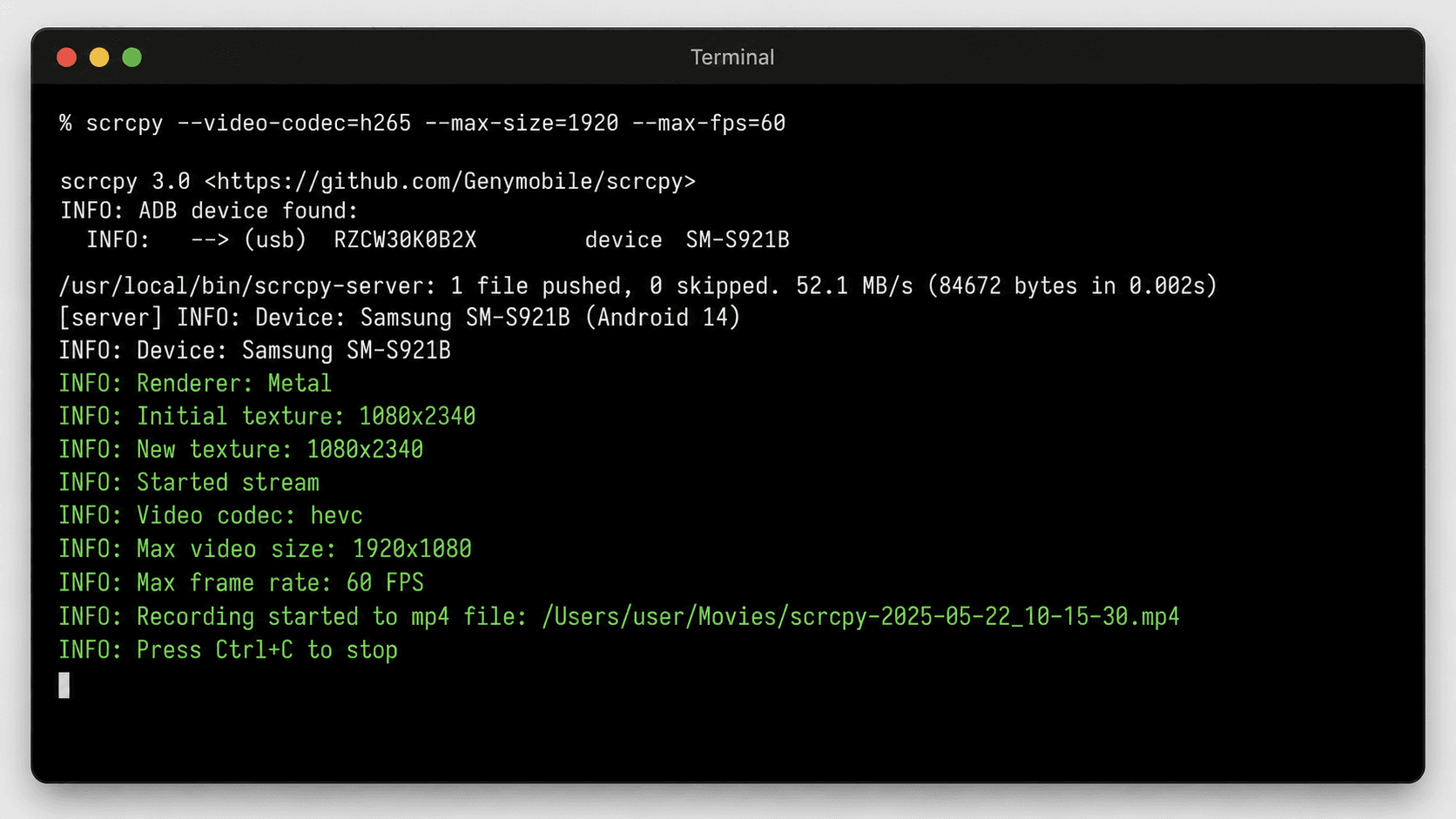
scrcpy is a free, open-source tool developed by Genymobile. It mirrors and controls Android devices from a Windows, macOS, or Linux computer via USB or Wi-Fi. There is no paid tier, no ads, no watermark, and no account. It supports up to 120fps, configurable resolution, audio streaming (Android 11+), screen recording, and full keyboard/mouse control. These are features most paid apps charge for.
Pros (free) | Cons (free) |
|---|---|
Completely free, open-source (Apache 2.0) | Android only, no iOS support |
USB and Wi-Fi mirroring | Command-line interface, not user-friendly |
Full keyboard/mouse control of device | Requires ADB debugging enabled |
Up to 120fps, configurable resolution | No TV casting, PC/Mac/Linux as receiver only |
Built-in screen recording | Wi-Fi setup takes more steps than USB |
No ads, no watermark, no account, no tracking | No remote or cross-network access |
Nothing installed on the Android device | Wireless pairing must be redone after each reboot |
Download safety: Only download scrcpy from the official GitHub repository. Many unofficial sites exist (scrcpy.org, scrcpy.dev, scrcpy.net, and others). Some bundle adware or malware. The GitHub repo is the sole official source.
Google Home
Google Home is the companion app for Chromecast and Google TV devices. It enables screen casting from Android phones and tablets at no cost. The app requires no subscription, has no paid tier, and imposes no time limits. However, it only works within the Chromecast ecosystem. iOS devices cannot cast their full screen, and non-Chromecast TVs are unsupported.
Pros (free) | Cons (free) |
|---|---|
Completely free, no paid tier, no upsell | Chromecast/Google TV ecosystem only |
No time limit, no watermark, no ads | Android only for full-screen casting |
Native integration, no third-party setup | Casting, not true mirroring; some content protected |
Simple setup via Google Home app | No recording, no remote access, no keyboard/mouse control |
LetsView (free)

LetsView offers unlimited same-network mirroring between phone, tablet, PC, and TV across iOS, Android, Windows, Mac, and smart TV platforms. The free tier has no time limit. However, resolution is capped at SD, a watermark appears on the mirrored screen, and only one device can connect at a time. HD screen recording is included. Upgrading to Pro removes these limits and adds FHD resolution, 60fps, and Android control from PC.
Pros (free tier) | Cons (free tier) |
|---|---|
No time limit, truly unlimited use | SD resolution only |
No account required | Watermark on mirrored screen |
Cross-platform (iOS, Android, Win, Mac) | 30fps frame rate locked |
10M+ downloads, active development | No remote or cross-network access |
HD screen recording included | 1 device connection max |
User-friendly GUI, no technical setup | No control Android from PC |
AirDroid Cast (free)
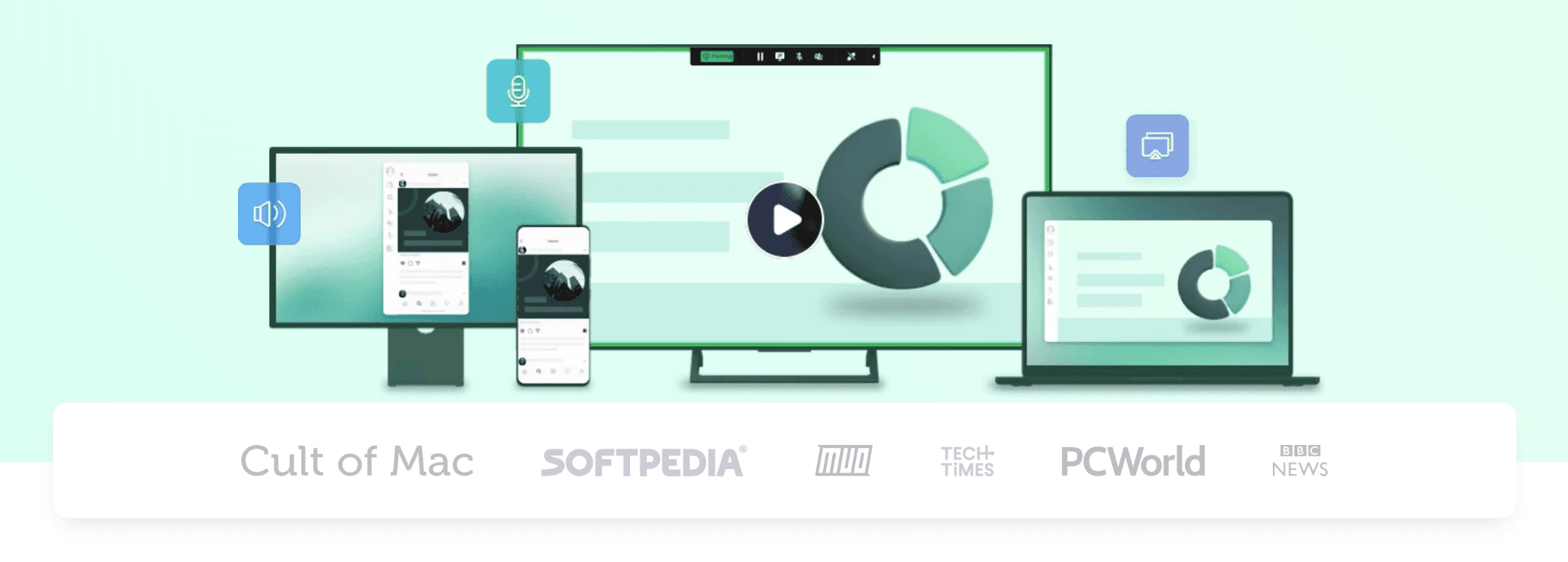
AirDroid Cast‘s free tier enables mirroring between devices on the same Wi-Fi network. That includes phone-to-PC, phone-to-browser, and phone-to-Android TV mirroring with two-way audio. Remote mirroring (across different networks), USB connection, and some advanced features require a paid plan starting at $2.49 per month for the Basic tier.
Pros (free tier) | Cons (free tier) |
|---|---|
Same-Wi-Fi mirroring fully functional | Remote or cross-network mirroring locked |
Two-way audio support | USB mirroring locked |
Browser-based receiver, no install on receiving device | Limited to local network |
Cross-platform support (iOS, Android, Win, Mac, TV) | No recording in free tier |
User-friendly, QR code or cast code pairing | No keyboard/mouse control in free tier |
Free-tier feature comparison
Feature | scrcpy (free) | Google Home (free) | LetsView (free) | AirDroid Cast (free) |
|---|---|---|---|---|
Time limit | None | None | None | None |
Watermark | None | None | Yes (removed in Pro) | None |
Platform (sender) | Android only | Android only | iOS, Android, Win, Mac | iOS, Android, Win, Mac |
Platform (receiver) | Win, Mac, Linux | Chromecast/Google TV | Win, Mac, TV | Win, Mac, browser, TV |
Connection | USB + Wi-Fi | Chromecast | Wi-Fi | Wi-Fi |
Max resolution | Configurable (up to source native) | Source-dependent | SD | Source-dependent |
Max frame rate | Up to 120fps | Source-dependent | 30fps (60fps in Pro) | Source-dependent |
Remote / cross-network | No | No | No | No |
USB connection | Yes | No | No | No (paid only) |
Browser receiver | No | No | No | Yes |
Two-way audio | Yes (Android 11+) | No | No | Yes |
Recording | Yes (built-in) | No | Yes (HD quality) | No |
Account required | No | Yes (Google account) | No | No |
Ease of use | Technical (CLI) | Very easy | Easy | Easy |
Among free options, scrcpy is the most powerful. It offers USB and Wi-Fi mirroring, up to 120fps, recording, and full keyboard/mouse control at zero cost. The catch: it’s Android-only and requires command-line comfort. Google Home is best for Android-to-Chromecast casting with zero setup. LetsView is the easiest cross-platform option, though the SD resolution and watermark are real trade-offs. AirDroid Cast adds a browser receiver and two-way audio, making it ideal when the receiving device can’t install software. All four are permanently free with no time limits.
The free options are scrcpy, Google Home, LetsView (free), and AirDroid Cast (free).
scrcpy
scrcpy is a free, open-source tool developed by Genymobile. It mirrors and controls Android devices from a Windows, macOS, or Linux computer via USB or Wi-Fi. There is no paid tier, no ads, no watermark, and no account. It supports up to 120fps, configurable resolution, audio streaming (Android 11+), screen recording, and full keyboard/mouse control. These are features most paid apps charge for.
Pros (free) | Cons (free) |
|---|---|
Completely free, open-source (Apache 2.0) | Android only, no iOS support |
USB and Wi-Fi mirroring | Command-line interface, not user-friendly |
Full keyboard/mouse control of device | Requires ADB debugging enabled |
Up to 120fps, configurable resolution | No TV casting, PC/Mac/Linux as receiver only |
Built-in screen recording | Wi-Fi setup takes more steps than USB |
No ads, no watermark, no account, no tracking | No remote or cross-network access |
Nothing installed on the Android device | Wireless pairing must be redone after each reboot |
Download safety: Only download scrcpy from the official GitHub repository. Many unofficial sites exist (scrcpy.org, scrcpy.dev, scrcpy.net, and others). Some bundle adware or malware. The GitHub repo is the sole official source.
Google Home
Google Home is the companion app for Chromecast and Google TV devices. It enables screen casting from Android phones and tablets at no cost. The app requires no subscription, has no paid tier, and imposes no time limits. However, it only works within the Chromecast ecosystem. iOS devices cannot cast their full screen, and non-Chromecast TVs are unsupported.
Pros (free) | Cons (free) |
|---|---|
Completely free, no paid tier, no upsell | Chromecast/Google TV ecosystem only |
No time limit, no watermark, no ads | Android only for full-screen casting |
Native integration, no third-party setup | Casting, not true mirroring; some content protected |
Simple setup via Google Home app | No recording, no remote access, no keyboard/mouse control |
LetsView (free)
LetsView offers unlimited same-network mirroring between phone, tablet, PC, and TV across iOS, Android, Windows, Mac, and smart TV platforms. The free tier has no time limit. However, resolution is capped at SD, a watermark appears on the mirrored screen, and only one device can connect at a time. HD screen recording is included. Upgrading to Pro removes these limits and adds FHD resolution, 60fps, and Android control from PC.
Pros (free tier) | Cons (free tier) |
|---|---|
No time limit, truly unlimited use | SD resolution only |
No account required | Watermark on mirrored screen |
Cross-platform (iOS, Android, Win, Mac) | 30fps frame rate locked |
10M+ downloads, active development | No remote or cross-network access |
HD screen recording included | 1 device connection max |
User-friendly GUI, no technical setup | No control Android from PC |
AirDroid Cast (free)
AirDroid Cast‘s free tier enables mirroring between devices on the same Wi-Fi network. That includes phone-to-PC, phone-to-browser, and phone-to-Android TV mirroring with two-way audio. Remote mirroring (across different networks), USB connection, and some advanced features require a paid plan starting at $2.49 per month for the Basic tier.
Pros (free tier) | Cons (free tier) |
|---|---|
Same-Wi-Fi mirroring fully functional | Remote or cross-network mirroring locked |
Two-way audio support | USB mirroring locked |
Browser-based receiver, no install on receiving device | Limited to local network |
Cross-platform support (iOS, Android, Win, Mac, TV) | No recording in free tier |
User-friendly, QR code or cast code pairing | No keyboard/mouse control in free tier |
Free-tier feature comparison
Feature | scrcpy (free) | Google Home (free) | LetsView (free) | AirDroid Cast (free) |
|---|---|---|---|---|
Time limit | None | None | None | None |
Watermark | None | None | Yes (removed in Pro) | None |
Platform (sender) | Android only | Android only | iOS, Android, Win, Mac | iOS, Android, Win, Mac |
Platform (receiver) | Win, Mac, Linux | Chromecast/Google TV | Win, Mac, TV | Win, Mac, browser, TV |
Connection | USB + Wi-Fi | Chromecast | Wi-Fi | Wi-Fi |
Max resolution | Configurable (up to source native) | Source-dependent | SD | Source-dependent |
Max frame rate | Up to 120fps | Source-dependent | 30fps (60fps in Pro) | Source-dependent |
Remote / cross-network | No | No | No | No |
USB connection | Yes | No | No | No (paid only) |
Browser receiver | No | No | No | Yes |
Two-way audio | Yes (Android 11+) | No | No | Yes |
Recording | Yes (built-in) | No | Yes (HD quality) | No |
Account required | No | Yes (Google account) | No | No |
Ease of use | Technical (CLI) | Very easy | Easy | Easy |
Among free options, scrcpy is the most powerful. It offers USB and Wi-Fi mirroring, up to 120fps, recording, and full keyboard/mouse control at zero cost. The catch: it’s Android-only and requires command-line comfort. Google Home is best for Android-to-Chromecast casting with zero setup. LetsView is the easiest cross-platform option, though the SD resolution and watermark are real trade-offs. AirDroid Cast adds a browser receiver and two-way audio, making it ideal when the receiving device can’t install software. All four are permanently free with no time limits.
The free options are scrcpy, Google Home, LetsView (free), and AirDroid Cast (free).
scrcpy
scrcpy is a free, open-source tool developed by Genymobile. It mirrors and controls Android devices from a Windows, macOS, or Linux computer via USB or Wi-Fi. There is no paid tier, no ads, no watermark, and no account. It supports up to 120fps, configurable resolution, audio streaming (Android 11+), screen recording, and full keyboard/mouse control. These are features most paid apps charge for.
Pros (free) | Cons (free) |
|---|---|
Completely free, open-source (Apache 2.0) | Android only, no iOS support |
USB and Wi-Fi mirroring | Command-line interface, not user-friendly |
Full keyboard/mouse control of device | Requires ADB debugging enabled |
Up to 120fps, configurable resolution | No TV casting, PC/Mac/Linux as receiver only |
Built-in screen recording | Wi-Fi setup takes more steps than USB |
No ads, no watermark, no account, no tracking | No remote or cross-network access |
Nothing installed on the Android device | Wireless pairing must be redone after each reboot |
Download safety: Only download scrcpy from the official GitHub repository. Many unofficial sites exist (scrcpy.org, scrcpy.dev, scrcpy.net, and others). Some bundle adware or malware. The GitHub repo is the sole official source.
Google Home
Google Home is the companion app for Chromecast and Google TV devices. It enables screen casting from Android phones and tablets at no cost. The app requires no subscription, has no paid tier, and imposes no time limits. However, it only works within the Chromecast ecosystem. iOS devices cannot cast their full screen, and non-Chromecast TVs are unsupported.
Pros (free) | Cons (free) |
|---|---|
Completely free, no paid tier, no upsell | Chromecast/Google TV ecosystem only |
No time limit, no watermark, no ads | Android only for full-screen casting |
Native integration, no third-party setup | Casting, not true mirroring; some content protected |
Simple setup via Google Home app | No recording, no remote access, no keyboard/mouse control |
LetsView (free)
LetsView offers unlimited same-network mirroring between phone, tablet, PC, and TV across iOS, Android, Windows, Mac, and smart TV platforms. The free tier has no time limit. However, resolution is capped at SD, a watermark appears on the mirrored screen, and only one device can connect at a time. HD screen recording is included. Upgrading to Pro removes these limits and adds FHD resolution, 60fps, and Android control from PC.
Pros (free tier) | Cons (free tier) |
|---|---|
No time limit, truly unlimited use | SD resolution only |
No account required | Watermark on mirrored screen |
Cross-platform (iOS, Android, Win, Mac) | 30fps frame rate locked |
10M+ downloads, active development | No remote or cross-network access |
HD screen recording included | 1 device connection max |
User-friendly GUI, no technical setup | No control Android from PC |
AirDroid Cast (free)
AirDroid Cast‘s free tier enables mirroring between devices on the same Wi-Fi network. That includes phone-to-PC, phone-to-browser, and phone-to-Android TV mirroring with two-way audio. Remote mirroring (across different networks), USB connection, and some advanced features require a paid plan starting at $2.49 per month for the Basic tier.
Pros (free tier) | Cons (free tier) |
|---|---|
Same-Wi-Fi mirroring fully functional | Remote or cross-network mirroring locked |
Two-way audio support | USB mirroring locked |
Browser-based receiver, no install on receiving device | Limited to local network |
Cross-platform support (iOS, Android, Win, Mac, TV) | No recording in free tier |
User-friendly, QR code or cast code pairing | No keyboard/mouse control in free tier |
Free-tier feature comparison
Feature | scrcpy (free) | Google Home (free) | LetsView (free) | AirDroid Cast (free) |
|---|---|---|---|---|
Time limit | None | None | None | None |
Watermark | None | None | Yes (removed in Pro) | None |
Platform (sender) | Android only | Android only | iOS, Android, Win, Mac | iOS, Android, Win, Mac |
Platform (receiver) | Win, Mac, Linux | Chromecast/Google TV | Win, Mac, TV | Win, Mac, browser, TV |
Connection | USB + Wi-Fi | Chromecast | Wi-Fi | Wi-Fi |
Max resolution | Configurable (up to source native) | Source-dependent | SD | Source-dependent |
Max frame rate | Up to 120fps | Source-dependent | 30fps (60fps in Pro) | Source-dependent |
Remote / cross-network | No | No | No | No |
USB connection | Yes | No | No | No (paid only) |
Browser receiver | No | No | No | Yes |
Two-way audio | Yes (Android 11+) | No | No | Yes |
Recording | Yes (built-in) | No | Yes (HD quality) | No |
Account required | No | Yes (Google account) | No | No |
Ease of use | Technical (CLI) | Very easy | Easy | Easy |
Among free options, scrcpy is the most powerful. It offers USB and Wi-Fi mirroring, up to 120fps, recording, and full keyboard/mouse control at zero cost. The catch: it’s Android-only and requires command-line comfort. Google Home is best for Android-to-Chromecast casting with zero setup. LetsView is the easiest cross-platform option, though the SD resolution and watermark are real trade-offs. AirDroid Cast adds a browser receiver and two-way audio, making it ideal when the receiving device can’t install software. All four are permanently free with no time limits.
What paid apps unlock
What paid apps unlock
What paid apps unlock
The paid products are AirDroid Cast (paid), LetsView (paid), 1001TVs, and ApowerMirror.
AirDroid Cast (paid)
AirDroid Cast’s paid tier starts at $2.49/month (Basic) and unlocks remote mirroring across different networks. This is the single most valuable paid feature in this comparison. The Standard plan at $3.49/month adds USB connection, eliminating Wi-Fi dependency entirely. Stability is a real consideration here: AirDroid’s own support pages carry a dedicated troubleshooting guide for frequent disconnects and point to USB as the fix when the wireless link is congested, which makes the Standard tier double as the stability upgrade. For remote tech support, hybrid work, or cross-network mirroring, this is the most cost-effective upgrade available. For a full hands-on assessment, see our AirDroid Cast review. Full plan details are on the AirDroid Cast pricing page.
Feature | Free tier | Paid tier ($2.49 to $3.49/mo) |
|---|---|---|
Same-Wi-Fi mirroring | Yes | Yes |
Browser receiver | Yes | Yes |
Two-way audio | Yes | Yes |
Remote / cross-network | No | Yes |
USB connection | No | Yes (Standard only) |
LetsView (paid)
LetsView’s Pro plan upgrades resolution from SD to FHD and raises the frame rate to 60fps. The watermark disappears, and you gain control of Android devices from your PC. Up to 5 simultaneous connections are supported, up from 1 in the free tier. FHD screen recording and commercial use rights are also included. Remote mirroring is not part of the subscription; it uses a separate pay-per-use billing system. Stability is the weak spot: there is no wired USB mode, so every session rides on the Wi-Fi link, and user reviews regularly report crashes and mid-session drops. Full plan details are on the LetsView pricing page.
For a closer look at its free limits, paid plans, app-store ratings, and reported stability issues, read our full LetsView review.
Feature | Free tier | Pro tier |
|---|---|---|
Unlimited mirroring | Yes | Yes |
Cross-platform | Yes | Yes |
Resolution | SD | FHD |
Max frame rate | 30fps | 60fps |
Screen recording | HD | FHD |
Watermark | Yes | None |
Control Android from PC | No | Yes |
Max connections | 1 | 5 |
Commercial use | No | Yes |
Remote mirroring | No | No (separate billing) |
1001TVs
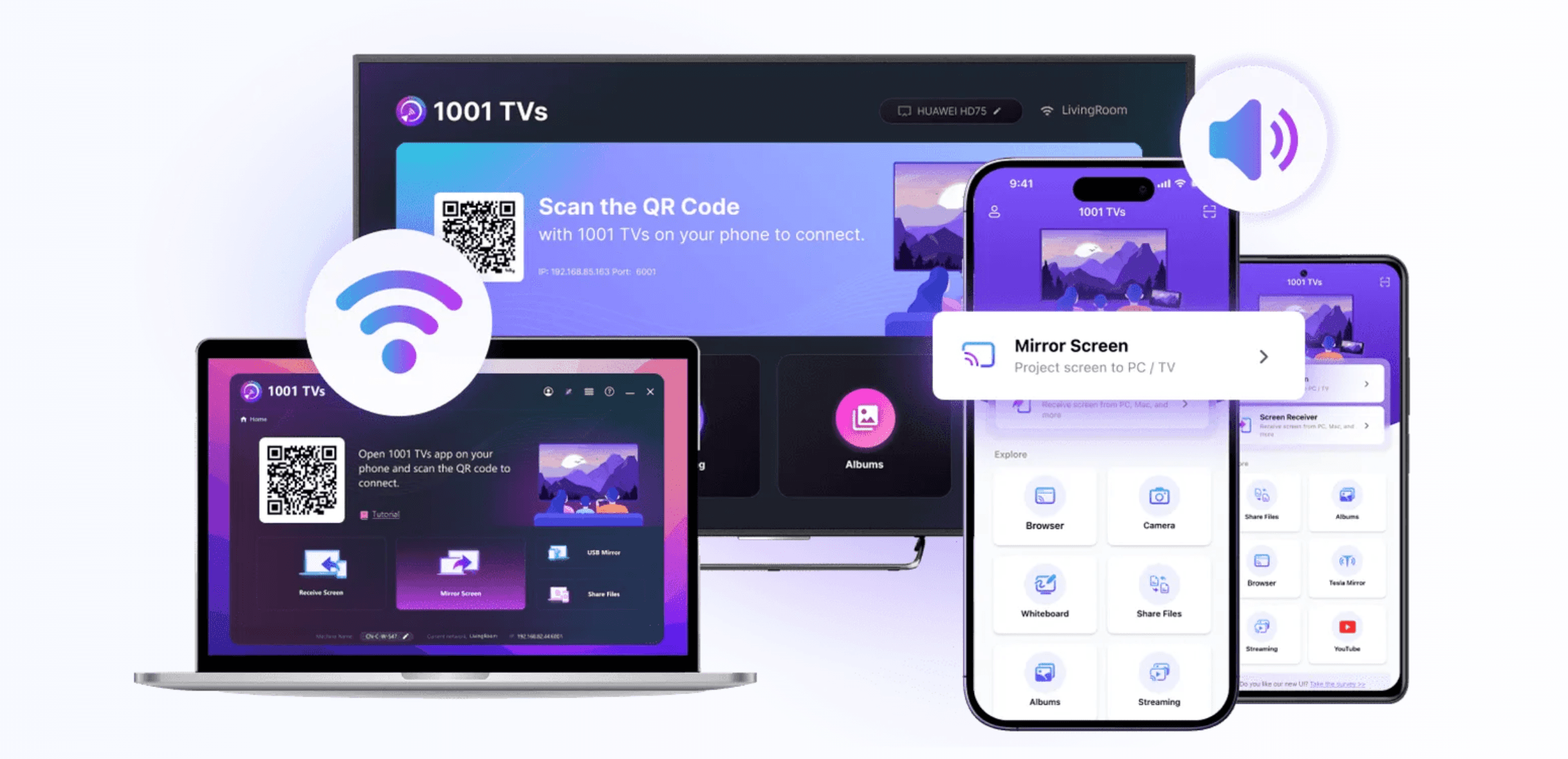
1001TVs is a pure paid app at $19.99/year. It offers a time-limited trial to experience premium features, but this is a product trial, not a permanent free tier. Its core value proposition is privacy: all data stays on the local network with no cloud upload and no account required. It also supports USB mirroring for zero-delay wired connections, which the developer describes as an ultra-stable link, and stability is where it pushes hardest overall: 1001TVs positions itself around industrial-grade reliability for long, continuous sessions rather than short casual casts. That combination suits privacy-sensitive environments and any setup that has to stay connected all day, from classrooms and meeting rooms to retail displays and digital signage. For a full hands-on assessment, see our 1001TVs review.
Feature | Time-limited trial | Paid ($19.99/yr) |
|---|---|---|
Local screen mirroring | Yes (temporarily) | Yes |
USB connection | Yes | Yes |
Long-session stability (industrial-grade wired and wireless link) | Yes (temporarily) | Yes |
Privacy: local-only, no cloud | Yes | Yes |
No account required | Yes | Yes |
Post-trial access | No | Yes |
ApowerMirror
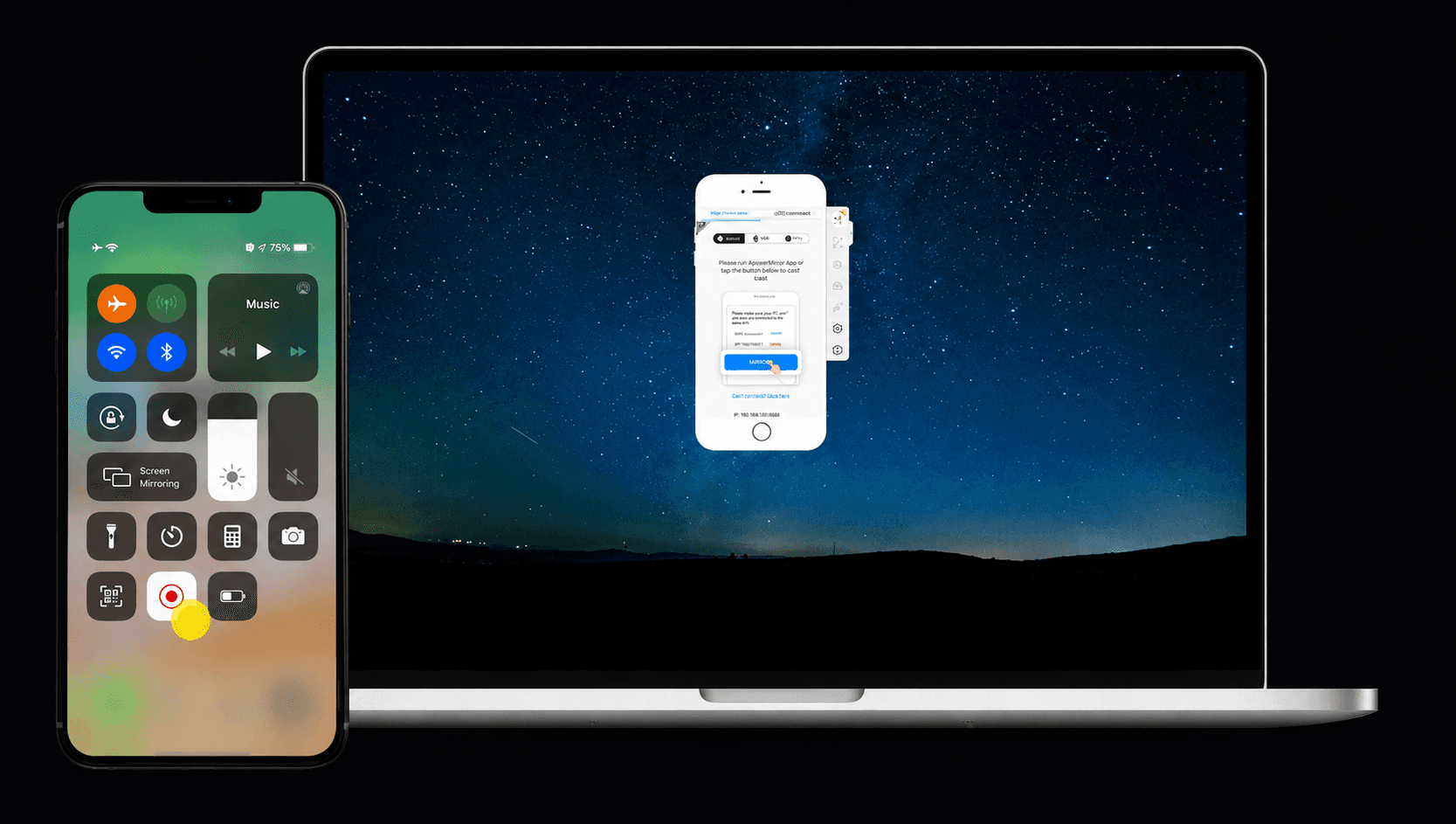
ApowerMirror is a pure paid app with pricing at $19.95/month, $39.95/year, or $69.95 for a lifetime license. A watermarked, time-limited trial lets users experience the full feature set temporarily, but this is not a free tier. It offers 4-device simultaneous mirroring, OBS integration, screen recording with annotation, and keyboard/mouse control across both iOS and Android. Both Wi-Fi and USB connections are supported, and Apowersoft’s own guidance is candid about the trade-off: mirroring quality tracks Wi-Fi signal strength, so USB is the recommended route for gaming and anything latency-sensitive. Current pricing is listed on the official ApowerMirror site.
For our hands-on test, current plan limits, AirCast pricing, and full feature breakdown, read our ApowerMirror review.
Feature | Trial (watermarked) | Paid ($19.95/mo+) |
|---|---|---|
4-device simultaneous mirroring | Yes (temporarily) | Yes |
USB connection | Yes | Yes |
Screen recording + annotation | Yes (temporarily) | Yes |
OBS direct push | Yes (temporarily) | Yes |
Keyboard/mouse remote control | Yes (temporarily) | Yes |
No watermark | No | Yes |
Post-trial access | No | Yes |
Cross-product paid feature comparison
Feature | AirDroid Cast (paid) | LetsView (paid) | 1001TVs (paid) | ApowerMirror (paid) |
|---|---|---|---|---|
Remote / cross-network | Yes ($2.49/mo) | No (separate billing) | No | No |
USB connection | Yes ($3.49/mo) | No | Yes | Yes |
FHD resolution | Yes | Yes | Yes | Yes |
60fps | Not specified | Yes | Not specified | Yes |
Connection stability | Drops on busy Wi-Fi; USB fixes it | Wi-Fi only; user-reported drops | Best: industrial-grade long sessions | Wi-Fi-dependent; USB for low latency |
Screen recording | No | Yes (FHD) | No | Yes (with annotation) |
Platform (sender) | iOS, Android, Win, Mac | iOS, Android, Win, Mac | iOS, Android, Win, Mac | iOS, Android, Win, Mac |
Platform (receiver) | Win, Mac, browser, TV | Win, Mac, TV | iOS, Android, Win, Mac, TV | Win, Mac, TV |
Privacy (local-only) | Not specified | Not specified | Yes | Not specified |
Lowest price | $2.49/mo | $5.99/mo | $19.99/yr | $39.95/yr |
Several paid features in the table above are available for free in scrcpy: USB connection, screen recording, and 120fps. The paid apps’ value proposition is not these features in isolation. It’s their combination with ease of use (GUI, no CLI), cross-platform support (including iOS), remote access, and professional workflows like recording with annotation. When someone asks “why pay when scrcpy is free?”, the answer is straightforward. scrcpy is Android-to-PC only, requires technical setup, and lacks remote access, iOS support, and a wireless link that survives a device reboot.
The three features most worth paying for are remote cross-network access (AirDroid Cast, $2.49/mo), FHD with 60fps plus recording (LetsView, $5.99/mo), and professional tools like multi-device display with annotation (ApowerMirror, $39.95/yr). 1001TVs at $19.99/year stands out on stability — an industrial-grade link built to hold through hours of continuous use, with an ultra-stable USB mode — alongside its privacy-first local-only design. scrcpy offers several of these features for free, but only for Android-to-PC and without a GUI.
The paid products are AirDroid Cast (paid), LetsView (paid), 1001TVs, and ApowerMirror.
AirDroid Cast (paid)
AirDroid Cast’s paid tier starts at $2.49/month (Basic) and unlocks remote mirroring across different networks. This is the single most valuable paid feature in this comparison. The Standard plan at $3.49/month adds USB connection, eliminating Wi-Fi dependency entirely. Stability is a real consideration here: AirDroid’s own support pages carry a dedicated troubleshooting guide for frequent disconnects and point to USB as the fix when the wireless link is congested, which makes the Standard tier double as the stability upgrade. For remote tech support, hybrid work, or cross-network mirroring, this is the most cost-effective upgrade available. For a full hands-on assessment, see our AirDroid Cast review. Full plan details are on the AirDroid Cast pricing page.
Feature | Free tier | Paid tier ($2.49 to $3.49/mo) |
|---|---|---|
Same-Wi-Fi mirroring | Yes | Yes |
Browser receiver | Yes | Yes |
Two-way audio | Yes | Yes |
Remote / cross-network | No | Yes |
USB connection | No | Yes (Standard only) |
LetsView (paid)
LetsView’s Pro plan upgrades resolution from SD to FHD and raises the frame rate to 60fps. The watermark disappears, and you gain control of Android devices from your PC. Up to 5 simultaneous connections are supported, up from 1 in the free tier. FHD screen recording and commercial use rights are also included. Remote mirroring is not part of the subscription; it uses a separate pay-per-use billing system. Stability is the weak spot: there is no wired USB mode, so every session rides on the Wi-Fi link, and user reviews regularly report crashes and mid-session drops. Full plan details are on the LetsView pricing page.
For a closer look at its free limits, paid plans, app-store ratings, and reported stability issues, read our full LetsView review.
Feature | Free tier | Pro tier |
|---|---|---|
Unlimited mirroring | Yes | Yes |
Cross-platform | Yes | Yes |
Resolution | SD | FHD |
Max frame rate | 30fps | 60fps |
Screen recording | HD | FHD |
Watermark | Yes | None |
Control Android from PC | No | Yes |
Max connections | 1 | 5 |
Commercial use | No | Yes |
Remote mirroring | No | No (separate billing) |
1001TVs
1001TVs is a pure paid app at $19.99/year. It offers a time-limited trial to experience premium features, but this is a product trial, not a permanent free tier. Its core value proposition is privacy: all data stays on the local network with no cloud upload and no account required. It also supports USB mirroring for zero-delay wired connections, which the developer describes as an ultra-stable link, and stability is where it pushes hardest overall: 1001TVs positions itself around industrial-grade reliability for long, continuous sessions rather than short casual casts. That combination suits privacy-sensitive environments and any setup that has to stay connected all day, from classrooms and meeting rooms to retail displays and digital signage. For a full hands-on assessment, see our 1001TVs review.
Feature | Time-limited trial | Paid ($19.99/yr) |
|---|---|---|
Local screen mirroring | Yes (temporarily) | Yes |
USB connection | Yes | Yes |
Long-session stability (industrial-grade wired and wireless link) | Yes (temporarily) | Yes |
Privacy: local-only, no cloud | Yes | Yes |
No account required | Yes | Yes |
Post-trial access | No | Yes |
ApowerMirror
ApowerMirror is a pure paid app with pricing at $19.95/month, $39.95/year, or $69.95 for a lifetime license. A watermarked, time-limited trial lets users experience the full feature set temporarily, but this is not a free tier. It offers 4-device simultaneous mirroring, OBS integration, screen recording with annotation, and keyboard/mouse control across both iOS and Android. Both Wi-Fi and USB connections are supported, and Apowersoft’s own guidance is candid about the trade-off: mirroring quality tracks Wi-Fi signal strength, so USB is the recommended route for gaming and anything latency-sensitive. Current pricing is listed on the official ApowerMirror site.
For our hands-on test, current plan limits, AirCast pricing, and full feature breakdown, read our ApowerMirror review.
Feature | Trial (watermarked) | Paid ($19.95/mo+) |
|---|---|---|
4-device simultaneous mirroring | Yes (temporarily) | Yes |
USB connection | Yes | Yes |
Screen recording + annotation | Yes (temporarily) | Yes |
OBS direct push | Yes (temporarily) | Yes |
Keyboard/mouse remote control | Yes (temporarily) | Yes |
No watermark | No | Yes |
Post-trial access | No | Yes |
Cross-product paid feature comparison
Feature | AirDroid Cast (paid) | LetsView (paid) | 1001TVs (paid) | ApowerMirror (paid) |
|---|---|---|---|---|
Remote / cross-network | Yes ($2.49/mo) | No (separate billing) | No | No |
USB connection | Yes ($3.49/mo) | No | Yes | Yes |
FHD resolution | Yes | Yes | Yes | Yes |
60fps | Not specified | Yes | Not specified | Yes |
Connection stability | Drops on busy Wi-Fi; USB fixes it | Wi-Fi only; user-reported drops | Best: industrial-grade long sessions | Wi-Fi-dependent; USB for low latency |
Screen recording | No | Yes (FHD) | No | Yes (with annotation) |
Platform (sender) | iOS, Android, Win, Mac | iOS, Android, Win, Mac | iOS, Android, Win, Mac | iOS, Android, Win, Mac |
Platform (receiver) | Win, Mac, browser, TV | Win, Mac, TV | iOS, Android, Win, Mac, TV | Win, Mac, TV |
Privacy (local-only) | Not specified | Not specified | Yes | Not specified |
Lowest price | $2.49/mo | $5.99/mo | $19.99/yr | $39.95/yr |
Several paid features in the table above are available for free in scrcpy: USB connection, screen recording, and 120fps. The paid apps’ value proposition is not these features in isolation. It’s their combination with ease of use (GUI, no CLI), cross-platform support (including iOS), remote access, and professional workflows like recording with annotation. When someone asks “why pay when scrcpy is free?”, the answer is straightforward. scrcpy is Android-to-PC only, requires technical setup, and lacks remote access, iOS support, and a wireless link that survives a device reboot.
The three features most worth paying for are remote cross-network access (AirDroid Cast, $2.49/mo), FHD with 60fps plus recording (LetsView, $5.99/mo), and professional tools like multi-device display with annotation (ApowerMirror, $39.95/yr). 1001TVs at $19.99/year stands out on stability — an industrial-grade link built to hold through hours of continuous use, with an ultra-stable USB mode — alongside its privacy-first local-only design. scrcpy offers several of these features for free, but only for Android-to-PC and without a GUI.
The paid products are AirDroid Cast (paid), LetsView (paid), 1001TVs, and ApowerMirror.
AirDroid Cast (paid)
AirDroid Cast’s paid tier starts at $2.49/month (Basic) and unlocks remote mirroring across different networks. This is the single most valuable paid feature in this comparison. The Standard plan at $3.49/month adds USB connection, eliminating Wi-Fi dependency entirely. Stability is a real consideration here: AirDroid’s own support pages carry a dedicated troubleshooting guide for frequent disconnects and point to USB as the fix when the wireless link is congested, which makes the Standard tier double as the stability upgrade. For remote tech support, hybrid work, or cross-network mirroring, this is the most cost-effective upgrade available. For a full hands-on assessment, see our AirDroid Cast review. Full plan details are on the AirDroid Cast pricing page.
Feature | Free tier | Paid tier ($2.49 to $3.49/mo) |
|---|---|---|
Same-Wi-Fi mirroring | Yes | Yes |
Browser receiver | Yes | Yes |
Two-way audio | Yes | Yes |
Remote / cross-network | No | Yes |
USB connection | No | Yes (Standard only) |
LetsView (paid)
LetsView’s Pro plan upgrades resolution from SD to FHD and raises the frame rate to 60fps. The watermark disappears, and you gain control of Android devices from your PC. Up to 5 simultaneous connections are supported, up from 1 in the free tier. FHD screen recording and commercial use rights are also included. Remote mirroring is not part of the subscription; it uses a separate pay-per-use billing system. Stability is the weak spot: there is no wired USB mode, so every session rides on the Wi-Fi link, and user reviews regularly report crashes and mid-session drops. Full plan details are on the LetsView pricing page.
For a closer look at its free limits, paid plans, app-store ratings, and reported stability issues, read our full LetsView review.
Feature | Free tier | Pro tier |
|---|---|---|
Unlimited mirroring | Yes | Yes |
Cross-platform | Yes | Yes |
Resolution | SD | FHD |
Max frame rate | 30fps | 60fps |
Screen recording | HD | FHD |
Watermark | Yes | None |
Control Android from PC | No | Yes |
Max connections | 1 | 5 |
Commercial use | No | Yes |
Remote mirroring | No | No (separate billing) |
1001TVs
1001TVs is a pure paid app at $19.99/year. It offers a time-limited trial to experience premium features, but this is a product trial, not a permanent free tier. Its core value proposition is privacy: all data stays on the local network with no cloud upload and no account required. It also supports USB mirroring for zero-delay wired connections, which the developer describes as an ultra-stable link, and stability is where it pushes hardest overall: 1001TVs positions itself around industrial-grade reliability for long, continuous sessions rather than short casual casts. That combination suits privacy-sensitive environments and any setup that has to stay connected all day, from classrooms and meeting rooms to retail displays and digital signage. For a full hands-on assessment, see our 1001TVs review.
Feature | Time-limited trial | Paid ($19.99/yr) |
|---|---|---|
Local screen mirroring | Yes (temporarily) | Yes |
USB connection | Yes | Yes |
Long-session stability (industrial-grade wired and wireless link) | Yes (temporarily) | Yes |
Privacy: local-only, no cloud | Yes | Yes |
No account required | Yes | Yes |
Post-trial access | No | Yes |
ApowerMirror
ApowerMirror is a pure paid app with pricing at $19.95/month, $39.95/year, or $69.95 for a lifetime license. A watermarked, time-limited trial lets users experience the full feature set temporarily, but this is not a free tier. It offers 4-device simultaneous mirroring, OBS integration, screen recording with annotation, and keyboard/mouse control across both iOS and Android. Both Wi-Fi and USB connections are supported, and Apowersoft’s own guidance is candid about the trade-off: mirroring quality tracks Wi-Fi signal strength, so USB is the recommended route for gaming and anything latency-sensitive. Current pricing is listed on the official ApowerMirror site.
For our hands-on test, current plan limits, AirCast pricing, and full feature breakdown, read our ApowerMirror review.
Feature | Trial (watermarked) | Paid ($19.95/mo+) |
|---|---|---|
4-device simultaneous mirroring | Yes (temporarily) | Yes |
USB connection | Yes | Yes |
Screen recording + annotation | Yes (temporarily) | Yes |
OBS direct push | Yes (temporarily) | Yes |
Keyboard/mouse remote control | Yes (temporarily) | Yes |
No watermark | No | Yes |
Post-trial access | No | Yes |
Cross-product paid feature comparison
Feature | AirDroid Cast (paid) | LetsView (paid) | 1001TVs (paid) | ApowerMirror (paid) |
|---|---|---|---|---|
Remote / cross-network | Yes ($2.49/mo) | No (separate billing) | No | No |
USB connection | Yes ($3.49/mo) | No | Yes | Yes |
FHD resolution | Yes | Yes | Yes | Yes |
60fps | Not specified | Yes | Not specified | Yes |
Connection stability | Drops on busy Wi-Fi; USB fixes it | Wi-Fi only; user-reported drops | Best: industrial-grade long sessions | Wi-Fi-dependent; USB for low latency |
Screen recording | No | Yes (FHD) | No | Yes (with annotation) |
Platform (sender) | iOS, Android, Win, Mac | iOS, Android, Win, Mac | iOS, Android, Win, Mac | iOS, Android, Win, Mac |
Platform (receiver) | Win, Mac, browser, TV | Win, Mac, TV | iOS, Android, Win, Mac, TV | Win, Mac, TV |
Privacy (local-only) | Not specified | Not specified | Yes | Not specified |
Lowest price | $2.49/mo | $5.99/mo | $19.99/yr | $39.95/yr |
Several paid features in the table above are available for free in scrcpy: USB connection, screen recording, and 120fps. The paid apps’ value proposition is not these features in isolation. It’s their combination with ease of use (GUI, no CLI), cross-platform support (including iOS), remote access, and professional workflows like recording with annotation. When someone asks “why pay when scrcpy is free?”, the answer is straightforward. scrcpy is Android-to-PC only, requires technical setup, and lacks remote access, iOS support, and a wireless link that survives a device reboot.
The three features most worth paying for are remote cross-network access (AirDroid Cast, $2.49/mo), FHD with 60fps plus recording (LetsView, $5.99/mo), and professional tools like multi-device display with annotation (ApowerMirror, $39.95/yr). 1001TVs at $19.99/year stands out on stability — an industrial-grade link built to hold through hours of continuous use, with an ultra-stable USB mode — alongside its privacy-first local-only design. scrcpy offers several of these features for free, but only for Android-to-PC and without a GUI.
When free is enough
When free is enough
When free is enough
Scenario | Recommended free app | Why free works |
|---|---|---|
Android-to-PC mirroring with keyboard/mouse control | scrcpy | Full control, recording, 120fps at zero cost |
Casting Android phone to Chromecast TV | Google Home | Native integration, zero setup |
Quick cross-platform mirroring (beginner) | LetsView | Easy GUI, cross-platform, unlimited time (SD with watermark) |
One-time presentation, no install on receiver | AirDroid Cast | Browser receiver, no install needed on display device |
Developer testing apps on Android device | scrcpy | USB or Wi-Fi, recording, full control, purpose-built |
Occasional phone-to-PC mirroring (non-technical) | AirDroid Cast | Same Wi-Fi covers this, easier than scrcpy |
Free screen mirroring is enough if you mirror occasionally (once a week or less), stay on the same Wi-Fi network or use USB, and can work with SD or source-native resolution. scrcpy covers Android-to-PC with professional features at zero cost. Google Home handles basic Chromecast casting. LetsView is the easiest cross-platform pick, though the SD resolution and watermark are trade-offs. AirDroid Cast adds a browser receiver for devices that can't install software.
Scenario | Recommended free app | Why free works |
|---|---|---|
Android-to-PC mirroring with keyboard/mouse control | scrcpy | Full control, recording, 120fps at zero cost |
Casting Android phone to Chromecast TV | Google Home | Native integration, zero setup |
Quick cross-platform mirroring (beginner) | LetsView | Easy GUI, cross-platform, unlimited time (SD with watermark) |
One-time presentation, no install on receiver | AirDroid Cast | Browser receiver, no install needed on display device |
Developer testing apps on Android device | scrcpy | USB or Wi-Fi, recording, full control, purpose-built |
Occasional phone-to-PC mirroring (non-technical) | AirDroid Cast | Same Wi-Fi covers this, easier than scrcpy |
Free screen mirroring is enough if you mirror occasionally (once a week or less), stay on the same Wi-Fi network or use USB, and can work with SD or source-native resolution. scrcpy covers Android-to-PC with professional features at zero cost. Google Home handles basic Chromecast casting. LetsView is the easiest cross-platform pick, though the SD resolution and watermark are trade-offs. AirDroid Cast adds a browser receiver for devices that can't install software.
Scenario | Recommended free app | Why free works |
|---|---|---|
Android-to-PC mirroring with keyboard/mouse control | scrcpy | Full control, recording, 120fps at zero cost |
Casting Android phone to Chromecast TV | Google Home | Native integration, zero setup |
Quick cross-platform mirroring (beginner) | LetsView | Easy GUI, cross-platform, unlimited time (SD with watermark) |
One-time presentation, no install on receiver | AirDroid Cast | Browser receiver, no install needed on display device |
Developer testing apps on Android device | scrcpy | USB or Wi-Fi, recording, full control, purpose-built |
Occasional phone-to-PC mirroring (non-technical) | AirDroid Cast | Same Wi-Fi covers this, easier than scrcpy |
Free screen mirroring is enough if you mirror occasionally (once a week or less), stay on the same Wi-Fi network or use USB, and can work with SD or source-native resolution. scrcpy covers Android-to-PC with professional features at zero cost. Google Home handles basic Chromecast casting. LetsView is the easiest cross-platform pick, though the SD resolution and watermark are trade-offs. AirDroid Cast adds a browser receiver for devices that can't install software.
When paid is worth it
When paid is worth it
When paid is worth it
Scenario | Recommended paid app | Key paid feature that justifies cost |
|---|---|---|
Remote tech support for family or clients | AirDroid Cast ($2.49/mo) | Cross-network remote mirroring, cheapest remote access |
Gaming on a larger screen (non-technical user) | LetsView ($5.99/mo) | FHD + 60fps for smooth gameplay, easier than scrcpy CLI |
Professional client presentations | ApowerMirror ($39.95/yr) | No watermark, multi-device, recording with annotation |
Privacy-sensitive environments (enterprise) | 1001TVs ($19.99/yr) | Local-only, no cloud, no account, lowest annual cost |
Unstable Wi-Fi environments (non-technical) | AirDroid Cast ($3.49/mo Standard) | USB connection bypasses Wi-Fi, easier than scrcpy USB setup |
All-day mirroring in a classroom, meeting room, or retail display | 1001TVs ($19.99/yr) | Industrial-grade stability: built to hold a connection through hours of continuous use, plus an ultra-stable USB mode |
Paid screen mirroring is worth it when you mirror daily, need cross-network remote access, require FHD resolution without CLI setup, or use professional features like recording and annotation. AirDroid Cast at $2.49/month is the entry point for remote access. ApowerMirror at $39.95/year is the professional tier. 1001TVs at $19.99/year covers privacy-first local mirroring and the steadiest long-session connection of the four. scrcpy covers many of these needs for free, but only for Android-to-PC and only for technical users.
Scenario | Recommended paid app | Key paid feature that justifies cost |
|---|---|---|
Remote tech support for family or clients | AirDroid Cast ($2.49/mo) | Cross-network remote mirroring, cheapest remote access |
Gaming on a larger screen (non-technical user) | LetsView ($5.99/mo) | FHD + 60fps for smooth gameplay, easier than scrcpy CLI |
Professional client presentations | ApowerMirror ($39.95/yr) | No watermark, multi-device, recording with annotation |
Privacy-sensitive environments (enterprise) | 1001TVs ($19.99/yr) | Local-only, no cloud, no account, lowest annual cost |
Unstable Wi-Fi environments (non-technical) | AirDroid Cast ($3.49/mo Standard) | USB connection bypasses Wi-Fi, easier than scrcpy USB setup |
All-day mirroring in a classroom, meeting room, or retail display | 1001TVs ($19.99/yr) | Industrial-grade stability: built to hold a connection through hours of continuous use, plus an ultra-stable USB mode |
Paid screen mirroring is worth it when you mirror daily, need cross-network remote access, require FHD resolution without CLI setup, or use professional features like recording and annotation. AirDroid Cast at $2.49/month is the entry point for remote access. ApowerMirror at $39.95/year is the professional tier. 1001TVs at $19.99/year covers privacy-first local mirroring and the steadiest long-session connection of the four. scrcpy covers many of these needs for free, but only for Android-to-PC and only for technical users.
Scenario | Recommended paid app | Key paid feature that justifies cost |
|---|---|---|
Remote tech support for family or clients | AirDroid Cast ($2.49/mo) | Cross-network remote mirroring, cheapest remote access |
Gaming on a larger screen (non-technical user) | LetsView ($5.99/mo) | FHD + 60fps for smooth gameplay, easier than scrcpy CLI |
Professional client presentations | ApowerMirror ($39.95/yr) | No watermark, multi-device, recording with annotation |
Privacy-sensitive environments (enterprise) | 1001TVs ($19.99/yr) | Local-only, no cloud, no account, lowest annual cost |
Unstable Wi-Fi environments (non-technical) | AirDroid Cast ($3.49/mo Standard) | USB connection bypasses Wi-Fi, easier than scrcpy USB setup |
All-day mirroring in a classroom, meeting room, or retail display | 1001TVs ($19.99/yr) | Industrial-grade stability: built to hold a connection through hours of continuous use, plus an ultra-stable USB mode |
Paid screen mirroring is worth it when you mirror daily, need cross-network remote access, require FHD resolution without CLI setup, or use professional features like recording and annotation. AirDroid Cast at $2.49/month is the entry point for remote access. ApowerMirror at $39.95/year is the professional tier. 1001TVs at $19.99/year covers privacy-first local mirroring and the steadiest long-session connection of the four. scrcpy covers many of these needs for free, but only for Android-to-PC and only for technical users.
The hidden costs of "free" screen mirroring
The hidden costs of "free" screen mirroring
The hidden costs of "free" screen mirroring
Free doesn't always mean cost-free. Every free option in this comparison carries trade-offs that matter in specific scenarios. This section covers limitations of genuinely free tiers only. 1001TVs and ApowerMirror trial limitations (watermarks, time limits) are covered in their Paid section cards above.
Technical barrier: scrcpy's command-line interface
scrcpy's biggest hidden cost is usability. It offers professional-grade features for free: USB mirroring, keyboard/mouse control, recording, 120fps. But all configuration is done through command-line flags (for example, scrcpy --video-codec=h265 --max-size=1920 --max-fps=60). There is no settings GUI. Users must enable ADB debugging on their Android device, navigate a terminal, and look up flags for every session.
For developers and power users, this is trivial. For everyone else, it's a barrier that makes LetsView or AirDroid Cast's one-tap GUI the practical choice, even though scrcpy technically offers more for free.
Platform lock-in
scrcpy mirrors Android to PC only. There is no iOS support and no TV casting. Google Home's free casting only works within the Chromecast ecosystem. If your TV isn't a Chromecast or Google TV device, Google Home can't help. LetsView and AirDroid Cast avoid this with cross-platform support (iOS and Android), but their free tiers are limited to same-Wi-Fi networks.
Resolution and frame rate caps
LetsView's free tier caps resolution at SD and frame rate at 30fps. On a 55-inch TV or 4K monitor, SD mirroring looks noticeably soft. A watermark also appears on screen. For gaming, 30fps introduces visible stutter compared to 60fps. scrcpy has no such caps. Resolution and frame rate are fully configurable, but require the technical knowledge to set them via CLI. AirDroid Cast's free tier mirrors at the source device's native resolution but is limited to local network use.
No remote access
None of the four free options support cross-network remote mirroring. scrcpy works over local Wi-Fi or USB only. Google Home is local casting only. LetsView and AirDroid Cast free tiers are same-Wi-Fi only. If you need to mirror a phone from a different location for remote support or hybrid work, you must upgrade to AirDroid Cast's paid tier ($2.49/month). There is no free alternative for this capability.
Ads and promotional pop-ups
Free apps may display ads between mirroring sessions or show promotional pop-ups. LetsView minimizes this. AirDroid Cast and Google Home are largely ad-free in their free tiers. scrcpy has zero ads because it's open-source with no monetization whatsoever. "Largely ad-free" is not the same as "guaranteed ad-free," though. Promotional content can appear in updates of commercial apps.
Data privacy considerations
Some free screen mirroring apps route data through cloud servers. Google Home relies on Google's cloud infrastructure for casting. LetsView and AirDroid Cast keep same-Wi-Fi mirroring local. scrcpy is the privacy champion among free tools. It's open-source, local-only, requires no account, uses no cloud relay, and its code is publicly auditable. For maximum privacy at zero cost, scrcpy is unmatched. 1001TVs, a paid app at $19.99/year, also keeps all data local, which matters for non-technical users who want privacy without using a command line.
No GUI-based professional features
No free tier with a graphical interface offers the full set of professional tools: annotation, multi-device mirroring, and OBS integration. These are exclusively paid features, concentrated in ApowerMirror's toolset. LetsView's free tier does include HD screen recording, which is a step up from other free GUI apps. scrcpy offers recording for free as well, but lacks annotation, multi-device display, and OBS integration. If your workflow depends on these professional features in a user-friendly package, free is not an option.
Free screen mirroring apps carry hidden costs: technical barriers (scrcpy's CLI), ecosystem lock-in (Google Home), SD resolution with watermark (LetsView), no remote access (all four free options), occasional ads, and limited GUI-based professional features. scrcpy defies many of these limits but trades usability for power. None of these matter for occasional home use. All of them matter for professional, client-facing, or cross-platform scenarios.
Free doesn't always mean cost-free. Every free option in this comparison carries trade-offs that matter in specific scenarios. This section covers limitations of genuinely free tiers only. 1001TVs and ApowerMirror trial limitations (watermarks, time limits) are covered in their Paid section cards above.
Technical barrier: scrcpy's command-line interface
scrcpy's biggest hidden cost is usability. It offers professional-grade features for free: USB mirroring, keyboard/mouse control, recording, 120fps. But all configuration is done through command-line flags (for example, scrcpy --video-codec=h265 --max-size=1920 --max-fps=60). There is no settings GUI. Users must enable ADB debugging on their Android device, navigate a terminal, and look up flags for every session.
For developers and power users, this is trivial. For everyone else, it's a barrier that makes LetsView or AirDroid Cast's one-tap GUI the practical choice, even though scrcpy technically offers more for free.
Platform lock-in
scrcpy mirrors Android to PC only. There is no iOS support and no TV casting. Google Home's free casting only works within the Chromecast ecosystem. If your TV isn't a Chromecast or Google TV device, Google Home can't help. LetsView and AirDroid Cast avoid this with cross-platform support (iOS and Android), but their free tiers are limited to same-Wi-Fi networks.
Resolution and frame rate caps
LetsView's free tier caps resolution at SD and frame rate at 30fps. On a 55-inch TV or 4K monitor, SD mirroring looks noticeably soft. A watermark also appears on screen. For gaming, 30fps introduces visible stutter compared to 60fps. scrcpy has no such caps. Resolution and frame rate are fully configurable, but require the technical knowledge to set them via CLI. AirDroid Cast's free tier mirrors at the source device's native resolution but is limited to local network use.
No remote access
None of the four free options support cross-network remote mirroring. scrcpy works over local Wi-Fi or USB only. Google Home is local casting only. LetsView and AirDroid Cast free tiers are same-Wi-Fi only. If you need to mirror a phone from a different location for remote support or hybrid work, you must upgrade to AirDroid Cast's paid tier ($2.49/month). There is no free alternative for this capability.
Ads and promotional pop-ups
Free apps may display ads between mirroring sessions or show promotional pop-ups. LetsView minimizes this. AirDroid Cast and Google Home are largely ad-free in their free tiers. scrcpy has zero ads because it's open-source with no monetization whatsoever. "Largely ad-free" is not the same as "guaranteed ad-free," though. Promotional content can appear in updates of commercial apps.
Data privacy considerations
Some free screen mirroring apps route data through cloud servers. Google Home relies on Google's cloud infrastructure for casting. LetsView and AirDroid Cast keep same-Wi-Fi mirroring local. scrcpy is the privacy champion among free tools. It's open-source, local-only, requires no account, uses no cloud relay, and its code is publicly auditable. For maximum privacy at zero cost, scrcpy is unmatched. 1001TVs, a paid app at $19.99/year, also keeps all data local, which matters for non-technical users who want privacy without using a command line.
No GUI-based professional features
No free tier with a graphical interface offers the full set of professional tools: annotation, multi-device mirroring, and OBS integration. These are exclusively paid features, concentrated in ApowerMirror's toolset. LetsView's free tier does include HD screen recording, which is a step up from other free GUI apps. scrcpy offers recording for free as well, but lacks annotation, multi-device display, and OBS integration. If your workflow depends on these professional features in a user-friendly package, free is not an option.
Free screen mirroring apps carry hidden costs: technical barriers (scrcpy's CLI), ecosystem lock-in (Google Home), SD resolution with watermark (LetsView), no remote access (all four free options), occasional ads, and limited GUI-based professional features. scrcpy defies many of these limits but trades usability for power. None of these matter for occasional home use. All of them matter for professional, client-facing, or cross-platform scenarios.
Free doesn't always mean cost-free. Every free option in this comparison carries trade-offs that matter in specific scenarios. This section covers limitations of genuinely free tiers only. 1001TVs and ApowerMirror trial limitations (watermarks, time limits) are covered in their Paid section cards above.
Technical barrier: scrcpy's command-line interface
scrcpy's biggest hidden cost is usability. It offers professional-grade features for free: USB mirroring, keyboard/mouse control, recording, 120fps. But all configuration is done through command-line flags (for example, scrcpy --video-codec=h265 --max-size=1920 --max-fps=60). There is no settings GUI. Users must enable ADB debugging on their Android device, navigate a terminal, and look up flags for every session.
For developers and power users, this is trivial. For everyone else, it's a barrier that makes LetsView or AirDroid Cast's one-tap GUI the practical choice, even though scrcpy technically offers more for free.
Platform lock-in
scrcpy mirrors Android to PC only. There is no iOS support and no TV casting. Google Home's free casting only works within the Chromecast ecosystem. If your TV isn't a Chromecast or Google TV device, Google Home can't help. LetsView and AirDroid Cast avoid this with cross-platform support (iOS and Android), but their free tiers are limited to same-Wi-Fi networks.
Resolution and frame rate caps
LetsView's free tier caps resolution at SD and frame rate at 30fps. On a 55-inch TV or 4K monitor, SD mirroring looks noticeably soft. A watermark also appears on screen. For gaming, 30fps introduces visible stutter compared to 60fps. scrcpy has no such caps. Resolution and frame rate are fully configurable, but require the technical knowledge to set them via CLI. AirDroid Cast's free tier mirrors at the source device's native resolution but is limited to local network use.
No remote access
None of the four free options support cross-network remote mirroring. scrcpy works over local Wi-Fi or USB only. Google Home is local casting only. LetsView and AirDroid Cast free tiers are same-Wi-Fi only. If you need to mirror a phone from a different location for remote support or hybrid work, you must upgrade to AirDroid Cast's paid tier ($2.49/month). There is no free alternative for this capability.
Ads and promotional pop-ups
Free apps may display ads between mirroring sessions or show promotional pop-ups. LetsView minimizes this. AirDroid Cast and Google Home are largely ad-free in their free tiers. scrcpy has zero ads because it's open-source with no monetization whatsoever. "Largely ad-free" is not the same as "guaranteed ad-free," though. Promotional content can appear in updates of commercial apps.
Data privacy considerations
Some free screen mirroring apps route data through cloud servers. Google Home relies on Google's cloud infrastructure for casting. LetsView and AirDroid Cast keep same-Wi-Fi mirroring local. scrcpy is the privacy champion among free tools. It's open-source, local-only, requires no account, uses no cloud relay, and its code is publicly auditable. For maximum privacy at zero cost, scrcpy is unmatched. 1001TVs, a paid app at $19.99/year, also keeps all data local, which matters for non-technical users who want privacy without using a command line.
No GUI-based professional features
No free tier with a graphical interface offers the full set of professional tools: annotation, multi-device mirroring, and OBS integration. These are exclusively paid features, concentrated in ApowerMirror's toolset. LetsView's free tier does include HD screen recording, which is a step up from other free GUI apps. scrcpy offers recording for free as well, but lacks annotation, multi-device display, and OBS integration. If your workflow depends on these professional features in a user-friendly package, free is not an option.
Free screen mirroring apps carry hidden costs: technical barriers (scrcpy's CLI), ecosystem lock-in (Google Home), SD resolution with watermark (LetsView), no remote access (all four free options), occasional ads, and limited GUI-based professional features. scrcpy defies many of these limits but trades usability for power. None of these matter for occasional home use. All of them matter for professional, client-facing, or cross-platform scenarios.
Final verdict
Final verdict
Final verdict
The free vs paid question comes down to three things: how often you mirror, whether you need remote access, and whether you value a GUI over raw features. For occasional same-network use, the free tiers of scrcpy, Google Home, LetsView, and AirDroid Cast are more than enough.
The line gets crossed when you need cross-network remote access (AirDroid Cast, $2.49/mo), FHD without command-line setup (LetsView Pro, $5.99/mo), or professional tools like multi-device display and annotation (ApowerMirror, $39.95/yr). 1001TVs at $19.99/yr occupies a unique niche: privacy-first local mirroring plus the steadiest long-session connection in this group, for users who want data sovereignty and a link that holds for hours without touching a terminal.
The smartest approach is to start free, hit the actual wall, then pay only for the specific capability you're missing.
The free vs paid question comes down to three things: how often you mirror, whether you need remote access, and whether you value a GUI over raw features. For occasional same-network use, the free tiers of scrcpy, Google Home, LetsView, and AirDroid Cast are more than enough.
The line gets crossed when you need cross-network remote access (AirDroid Cast, $2.49/mo), FHD without command-line setup (LetsView Pro, $5.99/mo), or professional tools like multi-device display and annotation (ApowerMirror, $39.95/yr). 1001TVs at $19.99/yr occupies a unique niche: privacy-first local mirroring plus the steadiest long-session connection in this group, for users who want data sovereignty and a link that holds for hours without touching a terminal.
The smartest approach is to start free, hit the actual wall, then pay only for the specific capability you're missing.
The free vs paid question comes down to three things: how often you mirror, whether you need remote access, and whether you value a GUI over raw features. For occasional same-network use, the free tiers of scrcpy, Google Home, LetsView, and AirDroid Cast are more than enough.
The line gets crossed when you need cross-network remote access (AirDroid Cast, $2.49/mo), FHD without command-line setup (LetsView Pro, $5.99/mo), or professional tools like multi-device display and annotation (ApowerMirror, $39.95/yr). 1001TVs at $19.99/yr occupies a unique niche: privacy-first local mirroring plus the steadiest long-session connection in this group, for users who want data sovereignty and a link that holds for hours without touching a terminal.
The smartest approach is to start free, hit the actual wall, then pay only for the specific capability you're missing.
Frequently asked questions
Frequently asked questions
Frequently asked questions
Is there a completely free screen mirroring app?
Yes. scrcpy is completely free and open-source with no paid tier. It offers USB and Wi-Fi mirroring, up to 120fps, recording, and keyboard/mouse control for Android devices at zero cost. Google Home is also completely free for Android-to-Chromecast casting. LetsView and AirDroid Cast offer free tiers with no time limits. All four are permanently free.
Do I need to pay for screen mirroring?
No, not for occasional same-Wi-Fi or USB use. scrcpy, Google Home, LetsView, and AirDroid Cast's free tier handle everyday mirroring: casting to a TV, sharing in meetings, or mirroring to a PC. You only need to pay if you require remote access, FHD resolution without CLI setup, screen recording with annotation, a connection that stays up through long sessions, or ad-free professional use.
What does paying for screen mirroring actually get me?
Four things free tiers don't offer: cross-network remote access (AirDroid Cast, $2.49/mo), FHD resolution with 60fps through a GUI instead of a command line (LetsView Pro, $5.99/mo), the steadiest long-session connection, wired or wireless (1001TVs, $19.99/yr), and professional tools like 4-device simultaneous display with annotation and OBS integration (ApowerMirror, $39.95/yr). Free apps cover same-Wi-Fi mirroring well. Paid plans earn their keep when you need remote access, higher resolution without CLI setup, a connection that holds for hours, or professional workflows.
What is the cheapest paid screen mirroring app?
1001TVs at $19.99/year is the cheapest paid option. AirDroid Cast Basic at $2.49/month (about $30/year) is the cheapest monthly option with remote access. LetsView at $5.99/month is mid-range. ApowerMirror at $19.95/month ($39.95/year) is the most expensive, though its $69.95 lifetime license offers long-term value. scrcpy and Google Home are completely free with no paid tier.
Why do some screen mirroring apps have watermarks?
Watermarks are a monetization strategy. Developers use them to incentivize paid upgrades. ApowerMirror's trial applies a visible watermark. LetsView also watermarks its free tier, removing it with a Pro subscription. scrcpy, AirDroid Cast, and Google Home do not watermark their free tiers. If you need a clean, professional display, pick a free app without watermarks or upgrade to a paid plan.
Can I screen mirror without installing software on the receiving device?
Yes. AirDroid Cast offers a browser-based receiver. The display device only needs a web browser, no app installation. This works in the free tier for same-Wi-Fi mirroring. Google Home requires a Chromecast device but no separate app on the TV. scrcpy requires software on the receiving PC but nothing on the Android device. Other apps require installation on both sending and receiving devices.
What resolution do free screen mirroring apps support?
scrcpy supports configurable resolution up to the source device's native resolution with no cap. Google Home mirrors at the source device's native resolution within Chromecast limits. LetsView's free tier is capped at SD; FHD requires the Pro plan at $5.99/month. AirDroid Cast's free tier mirrors at the source device's native resolution but is limited to same-Wi-Fi. scrcpy is the only free app with no resolution or frame rate cap.
Is there a completely free screen mirroring app?
Yes. scrcpy is completely free and open-source with no paid tier. It offers USB and Wi-Fi mirroring, up to 120fps, recording, and keyboard/mouse control for Android devices at zero cost. Google Home is also completely free for Android-to-Chromecast casting. LetsView and AirDroid Cast offer free tiers with no time limits. All four are permanently free.
Do I need to pay for screen mirroring?
No, not for occasional same-Wi-Fi or USB use. scrcpy, Google Home, LetsView, and AirDroid Cast's free tier handle everyday mirroring: casting to a TV, sharing in meetings, or mirroring to a PC. You only need to pay if you require remote access, FHD resolution without CLI setup, screen recording with annotation, a connection that stays up through long sessions, or ad-free professional use.
What does paying for screen mirroring actually get me?
Four things free tiers don't offer: cross-network remote access (AirDroid Cast, $2.49/mo), FHD resolution with 60fps through a GUI instead of a command line (LetsView Pro, $5.99/mo), the steadiest long-session connection, wired or wireless (1001TVs, $19.99/yr), and professional tools like 4-device simultaneous display with annotation and OBS integration (ApowerMirror, $39.95/yr). Free apps cover same-Wi-Fi mirroring well. Paid plans earn their keep when you need remote access, higher resolution without CLI setup, a connection that holds for hours, or professional workflows.
What is the cheapest paid screen mirroring app?
1001TVs at $19.99/year is the cheapest paid option. AirDroid Cast Basic at $2.49/month (about $30/year) is the cheapest monthly option with remote access. LetsView at $5.99/month is mid-range. ApowerMirror at $19.95/month ($39.95/year) is the most expensive, though its $69.95 lifetime license offers long-term value. scrcpy and Google Home are completely free with no paid tier.
Why do some screen mirroring apps have watermarks?
Watermarks are a monetization strategy. Developers use them to incentivize paid upgrades. ApowerMirror's trial applies a visible watermark. LetsView also watermarks its free tier, removing it with a Pro subscription. scrcpy, AirDroid Cast, and Google Home do not watermark their free tiers. If you need a clean, professional display, pick a free app without watermarks or upgrade to a paid plan.
Can I screen mirror without installing software on the receiving device?
Yes. AirDroid Cast offers a browser-based receiver. The display device only needs a web browser, no app installation. This works in the free tier for same-Wi-Fi mirroring. Google Home requires a Chromecast device but no separate app on the TV. scrcpy requires software on the receiving PC but nothing on the Android device. Other apps require installation on both sending and receiving devices.
What resolution do free screen mirroring apps support?
scrcpy supports configurable resolution up to the source device's native resolution with no cap. Google Home mirrors at the source device's native resolution within Chromecast limits. LetsView's free tier is capped at SD; FHD requires the Pro plan at $5.99/month. AirDroid Cast's free tier mirrors at the source device's native resolution but is limited to same-Wi-Fi. scrcpy is the only free app with no resolution or frame rate cap.
Is there a completely free screen mirroring app?
Yes. scrcpy is completely free and open-source with no paid tier. It offers USB and Wi-Fi mirroring, up to 120fps, recording, and keyboard/mouse control for Android devices at zero cost. Google Home is also completely free for Android-to-Chromecast casting. LetsView and AirDroid Cast offer free tiers with no time limits. All four are permanently free.
Do I need to pay for screen mirroring?
No, not for occasional same-Wi-Fi or USB use. scrcpy, Google Home, LetsView, and AirDroid Cast's free tier handle everyday mirroring: casting to a TV, sharing in meetings, or mirroring to a PC. You only need to pay if you require remote access, FHD resolution without CLI setup, screen recording with annotation, a connection that stays up through long sessions, or ad-free professional use.
What does paying for screen mirroring actually get me?
Four things free tiers don't offer: cross-network remote access (AirDroid Cast, $2.49/mo), FHD resolution with 60fps through a GUI instead of a command line (LetsView Pro, $5.99/mo), the steadiest long-session connection, wired or wireless (1001TVs, $19.99/yr), and professional tools like 4-device simultaneous display with annotation and OBS integration (ApowerMirror, $39.95/yr). Free apps cover same-Wi-Fi mirroring well. Paid plans earn their keep when you need remote access, higher resolution without CLI setup, a connection that holds for hours, or professional workflows.
What is the cheapest paid screen mirroring app?
1001TVs at $19.99/year is the cheapest paid option. AirDroid Cast Basic at $2.49/month (about $30/year) is the cheapest monthly option with remote access. LetsView at $5.99/month is mid-range. ApowerMirror at $19.95/month ($39.95/year) is the most expensive, though its $69.95 lifetime license offers long-term value. scrcpy and Google Home are completely free with no paid tier.
Why do some screen mirroring apps have watermarks?
Watermarks are a monetization strategy. Developers use them to incentivize paid upgrades. ApowerMirror's trial applies a visible watermark. LetsView also watermarks its free tier, removing it with a Pro subscription. scrcpy, AirDroid Cast, and Google Home do not watermark their free tiers. If you need a clean, professional display, pick a free app without watermarks or upgrade to a paid plan.
Can I screen mirror without installing software on the receiving device?
Yes. AirDroid Cast offers a browser-based receiver. The display device only needs a web browser, no app installation. This works in the free tier for same-Wi-Fi mirroring. Google Home requires a Chromecast device but no separate app on the TV. scrcpy requires software on the receiving PC but nothing on the Android device. Other apps require installation on both sending and receiving devices.
What resolution do free screen mirroring apps support?
scrcpy supports configurable resolution up to the source device's native resolution with no cap. Google Home mirrors at the source device's native resolution within Chromecast limits. LetsView's free tier is capped at SD; FHD requires the Pro plan at $5.99/month. AirDroid Cast's free tier mirrors at the source device's native resolution but is limited to same-Wi-Fi. scrcpy is the only free app with no resolution or frame rate cap.
Table of content
Table of content

Still Need a Hand?
Still Need a Hand?
Still Need a Hand?
Explore more reviews, step-by-step guides, and troubleshooting tips—or contact us if you could not find the answer you needed.
Explore more reviews, step-by-step guides, and troubleshooting tips—or contact us if you could not find the answer you needed.
Explore more reviews, step-by-step guides, and troubleshooting tips—or contact us if you could not find the answer you needed.