
The History of AirPlay: From Wireless Audio to Screen Mirroring
The History of AirPlay: From Wireless Audio to Screen Mirroring
The History of AirPlay: From Wireless Audio to Screen Mirroring
Explore AirPlay’s history, from AirTunes and wireless audio to screen mirroring, AirPlay 2, and the expanding range of compatible receivers.
Explore AirPlay’s history, from AirTunes and wireless audio to screen mirroring, AirPlay 2, and the expanding range of compatible receivers.
Explore AirPlay’s history, from AirTunes and wireless audio to screen mirroring, AirPlay 2, and the expanding range of compatible receivers.
AirPlay did not begin as screen mirroring. In 2004, Apple introduced AirTunes as a way to send music from iTunes to speakers connected to an AirPort Express. Six years later, Apple introduced the AirPlay name and expanded what users could send, including music, video, and photos. Screen mirroring arrived as a distinct capability, and later updates extended AirPlay into multi-room audio and a wider range of receiving devices.
The timeline below follows the major changes: AirTunes’ original audio use, AirPlay’s expansion into media streaming, the arrival of mirroring, and the later growth of multi-room audio and receiver options.
Year | Milestone | What Changed | Why It Matters |
2004 | AirTunes | Wireless music streaming from iTunes to AirPort Express | Established an early way to play computer-based music through remote speakers |
2010 | AirPlay | Expanded music, video, and photo sharing; third-party audio products | Took wireless media beyond the original iTunes-to-speaker setup |
2011–2012 | AirPlay Mirroring | Screen mirroring arrived on iPad, iPhone, and Mac in successive releases | Brought wireless display sharing to supported mobile and desktop devices |
2018 | AirPlay 2 | Multi-room audio and expanded speaker control arrived with iOS 11.4 | Added coordinated playback across rooms |
2019–2021 | Receiver expansion | Select smart TVs and supported Macs could receive AirPlay content | Added direct TV and Mac destinations |
AirPlay did not begin as screen mirroring. In 2004, Apple introduced AirTunes as a way to send music from iTunes to speakers connected to an AirPort Express. Six years later, Apple introduced the AirPlay name and expanded what users could send, including music, video, and photos. Screen mirroring arrived as a distinct capability, and later updates extended AirPlay into multi-room audio and a wider range of receiving devices.
The timeline below follows the major changes: AirTunes’ original audio use, AirPlay’s expansion into media streaming, the arrival of mirroring, and the later growth of multi-room audio and receiver options.
Year | Milestone | What Changed | Why It Matters |
2004 | AirTunes | Wireless music streaming from iTunes to AirPort Express | Established an early way to play computer-based music through remote speakers |
2010 | AirPlay | Expanded music, video, and photo sharing; third-party audio products | Took wireless media beyond the original iTunes-to-speaker setup |
2011–2012 | AirPlay Mirroring | Screen mirroring arrived on iPad, iPhone, and Mac in successive releases | Brought wireless display sharing to supported mobile and desktop devices |
2018 | AirPlay 2 | Multi-room audio and expanded speaker control arrived with iOS 11.4 | Added coordinated playback across rooms |
2019–2021 | Receiver expansion | Select smart TVs and supported Macs could receive AirPlay content | Added direct TV and Mac destinations |
AirPlay did not begin as screen mirroring. In 2004, Apple introduced AirTunes as a way to send music from iTunes to speakers connected to an AirPort Express. Six years later, Apple introduced the AirPlay name and expanded what users could send, including music, video, and photos. Screen mirroring arrived as a distinct capability, and later updates extended AirPlay into multi-room audio and a wider range of receiving devices.
The timeline below follows the major changes: AirTunes’ original audio use, AirPlay’s expansion into media streaming, the arrival of mirroring, and the later growth of multi-room audio and receiver options.
Year | Milestone | What Changed | Why It Matters |
2004 | AirTunes | Wireless music streaming from iTunes to AirPort Express | Established an early way to play computer-based music through remote speakers |
2010 | AirPlay | Expanded music, video, and photo sharing; third-party audio products | Took wireless media beyond the original iTunes-to-speaker setup |
2011–2012 | AirPlay Mirroring | Screen mirroring arrived on iPad, iPhone, and Mac in successive releases | Brought wireless display sharing to supported mobile and desktop devices |
2018 | AirPlay 2 | Multi-room audio and expanded speaker control arrived with iOS 11.4 | Added coordinated playback across rooms |
2019–2021 | Receiver expansion | Select smart TVs and supported Macs could receive AirPlay content | Added direct TV and Mac destinations |
Before AirPlay: AirTunes and wireless music streaming
Before AirPlay: AirTunes and wireless music streaming
Before AirPlay: AirTunes and wireless music streaming
In June 2004, Apple unveiled AirPort Express, a compact wireless base station with analog and digital audio outputs. Paired with AirTunes and iTunes 4.6, it could send music from a Mac or PC running iTunes to a stereo or powered speakers connected to the base station. Apple’s announcement of AirPort Express described the wireless music setup; its shipping announcement explained how AirTunes sent iTunes playback to connected speakers.
AirTunes was a focused product experience built around music networking through iTunes and AirPort Express.

In June 2004, Apple unveiled AirPort Express, a compact wireless base station with analog and digital audio outputs. Paired with AirTunes and iTunes 4.6, it could send music from a Mac or PC running iTunes to a stereo or powered speakers connected to the base station. Apple’s announcement of AirPort Express described the wireless music setup; its shipping announcement explained how AirTunes sent iTunes playback to connected speakers.
AirTunes was a focused product experience built around music networking through iTunes and AirPort Express.
In June 2004, Apple unveiled AirPort Express, a compact wireless base station with analog and digital audio outputs. Paired with AirTunes and iTunes 4.6, it could send music from a Mac or PC running iTunes to a stereo or powered speakers connected to the base station. Apple’s announcement of AirPort Express described the wireless music setup; its shipping announcement explained how AirTunes sent iTunes playback to connected speakers.
AirTunes was a focused product experience built around music networking through iTunes and AirPort Express.
The birth of AirPlay: how the name and capabilities evolved
The birth of AirPlay: how the name and capabilities evolved
The birth of AirPlay: how the name and capabilities evolved
AirPlay expanded in stages. In September 2010, Apple used the name for wireless music playback in iTunes 10 and named third-party speakers and receivers that could play an iTunes library without AirPort Express. With iOS 4.2 in November, Apple extended the mobile experience to music, video, and photo streaming from iPhone, iPad, and iPod touch to Apple TV. The iTunes 10 announcement listed the third-party audio systems; Apple’s iOS 4.2 release announcement described the broader mobile media features. The announcements mark a shift in the service, not a promise that every AirTunes-era receiver gained each new function.
At this stage, sending a selected video or photo was different from duplicating everything visible on a device. In media streaming, the user chooses content and sends it to a receiver for playback; screen mirroring makes the device’s display itself the source.
AirPlay expanded in stages. In September 2010, Apple used the name for wireless music playback in iTunes 10 and named third-party speakers and receivers that could play an iTunes library without AirPort Express. With iOS 4.2 in November, Apple extended the mobile experience to music, video, and photo streaming from iPhone, iPad, and iPod touch to Apple TV. The iTunes 10 announcement listed the third-party audio systems; Apple’s iOS 4.2 release announcement described the broader mobile media features. The announcements mark a shift in the service, not a promise that every AirTunes-era receiver gained each new function.
At this stage, sending a selected video or photo was different from duplicating everything visible on a device. In media streaming, the user chooses content and sends it to a receiver for playback; screen mirroring makes the device’s display itself the source.
AirPlay expanded in stages. In September 2010, Apple used the name for wireless music playback in iTunes 10 and named third-party speakers and receivers that could play an iTunes library without AirPort Express. With iOS 4.2 in November, Apple extended the mobile experience to music, video, and photo streaming from iPhone, iPad, and iPod touch to Apple TV. The iTunes 10 announcement listed the third-party audio systems; Apple’s iOS 4.2 release announcement described the broader mobile media features. The announcements mark a shift in the service, not a promise that every AirTunes-era receiver gained each new function.
At this stage, sending a selected video or photo was different from duplicating everything visible on a device. In media streaming, the user chooses content and sends it to a receiver for playback; screen mirroring makes the device’s display itself the source.
AirPlay Mirroring: the shift to wireless screen sharing (2011–2012)
AirPlay Mirroring: the shift to wireless screen sharing (2011–2012)
AirPlay Mirroring: the shift to wireless screen sharing (2011–2012)
In June 2011, Apple previewed iOS 5 and described AirPlay Mirroring as a way to display everything happening on an iPad 2 wirelessly on an HDTV through Apple TV. By the time iOS 5 arrived, mirroring was also documented for iPhone 4S; both devices sent their screens to a second-generation Apple TV. Apple’s iOS 5 preview announced the iPad 2 feature, while Macworld’s coverage of iOS 5 AirPlay features documented the iPhone 4S and iPad 2 support.
For the first time, selected iOS devices could send the whole display wirelessly to a television, rather than only a chosen photo or video. That made apps, presentations, and games visible on a larger screen through Apple TV.
The following year, OS X Mountain Lion brought AirPlay Mirroring to supported Macs. Apple’s Mountain Lion release notes described a secure wireless stream of the Mac display to an HDTV using Apple TV, alongside audio playback through AirPlay speakers and receivers. Mirroring had now crossed from mobile devices to the desktop.

In June 2011, Apple previewed iOS 5 and described AirPlay Mirroring as a way to display everything happening on an iPad 2 wirelessly on an HDTV through Apple TV. By the time iOS 5 arrived, mirroring was also documented for iPhone 4S; both devices sent their screens to a second-generation Apple TV. Apple’s iOS 5 preview announced the iPad 2 feature, while Macworld’s coverage of iOS 5 AirPlay features documented the iPhone 4S and iPad 2 support.
For the first time, selected iOS devices could send the whole display wirelessly to a television, rather than only a chosen photo or video. That made apps, presentations, and games visible on a larger screen through Apple TV.
The following year, OS X Mountain Lion brought AirPlay Mirroring to supported Macs. Apple’s Mountain Lion release notes described a secure wireless stream of the Mac display to an HDTV using Apple TV, alongside audio playback through AirPlay speakers and receivers. Mirroring had now crossed from mobile devices to the desktop.
In June 2011, Apple previewed iOS 5 and described AirPlay Mirroring as a way to display everything happening on an iPad 2 wirelessly on an HDTV through Apple TV. By the time iOS 5 arrived, mirroring was also documented for iPhone 4S; both devices sent their screens to a second-generation Apple TV. Apple’s iOS 5 preview announced the iPad 2 feature, while Macworld’s coverage of iOS 5 AirPlay features documented the iPhone 4S and iPad 2 support.
For the first time, selected iOS devices could send the whole display wirelessly to a television, rather than only a chosen photo or video. That made apps, presentations, and games visible on a larger screen through Apple TV.
The following year, OS X Mountain Lion brought AirPlay Mirroring to supported Macs. Apple’s Mountain Lion release notes described a secure wireless stream of the Mac display to an HDTV using Apple TV, alongside audio playback through AirPlay speakers and receivers. Mirroring had now crossed from mobile devices to the desktop.
AirPlay 2: expanding into multi-room audio
AirPlay 2: expanding into multi-room audio
AirPlay 2: expanding into multi-room audio
AirPlay 2 was announced in 2017 as part of Apple’s iOS 11 preview, which described multi-room audio and speaker controls through Control Center, the Home app, or Siri. It became available with iOS 11.4 on May 29, 2018. Users could play music in several rooms simultaneously, control playback destinations through Control Center, and use supported HomePod speakers as stereo pairs. Apple also announced support from third-party speaker manufacturers, extending AirPlay’s role in home audio beyond individual playback destinations. Unlike AirPlay Mirroring, AirPlay 2’s major advance was coordinated audio playback, not a new form of full-screen mirroring. Apple’s iOS 11 preview introduced AirPlay 2; the iOS 11.4 release announcement detailed its availability and features.
AirPlay 2 was announced in 2017 as part of Apple’s iOS 11 preview, which described multi-room audio and speaker controls through Control Center, the Home app, or Siri. It became available with iOS 11.4 on May 29, 2018. Users could play music in several rooms simultaneously, control playback destinations through Control Center, and use supported HomePod speakers as stereo pairs. Apple also announced support from third-party speaker manufacturers, extending AirPlay’s role in home audio beyond individual playback destinations. Unlike AirPlay Mirroring, AirPlay 2’s major advance was coordinated audio playback, not a new form of full-screen mirroring. Apple’s iOS 11 preview introduced AirPlay 2; the iOS 11.4 release announcement detailed its availability and features.
AirPlay 2 was announced in 2017 as part of Apple’s iOS 11 preview, which described multi-room audio and speaker controls through Control Center, the Home app, or Siri. It became available with iOS 11.4 on May 29, 2018. Users could play music in several rooms simultaneously, control playback destinations through Control Center, and use supported HomePod speakers as stereo pairs. Apple also announced support from third-party speaker manufacturers, extending AirPlay’s role in home audio beyond individual playback destinations. Unlike AirPlay Mirroring, AirPlay 2’s major advance was coordinated audio playback, not a new form of full-screen mirroring. Apple’s iOS 11 preview introduced AirPlay 2; the iOS 11.4 release announcement detailed its availability and features.
Beyond Apple TV: how AirPlay expanded across devices
Beyond Apple TV: how AirPlay expanded across devices
Beyond Apple TV: how AirPlay expanded across devices
In 2019, Apple said customers with AirPlay 2-enabled Samsung smart TVs could play or mirror content from iPhone, iPad, or Mac directly to the television. Apple specified iOS 12.3 or macOS 10.14.5 for this use, and said eligible VIZIO, LG, and Sony TVs would receive AirPlay 2 and HomeKit support later that year. For supported models, this provided a direct route to the TV without using Apple TV as the receiver; Apple’s announcement describes the supported TVs and version requirements.
Another step came in 2021, when macOS Monterey introduced AirPlay to Mac, allowing supported Macs to receive content from an iPhone or iPad. Apple described the feature when it previewed macOS Monterey and later released the update on October 25.
Together, these changes extended AirPlay’s receiver network from AirPort Express and third-party audio products to select smart TVs and Macs.
In 2019, Apple said customers with AirPlay 2-enabled Samsung smart TVs could play or mirror content from iPhone, iPad, or Mac directly to the television. Apple specified iOS 12.3 or macOS 10.14.5 for this use, and said eligible VIZIO, LG, and Sony TVs would receive AirPlay 2 and HomeKit support later that year. For supported models, this provided a direct route to the TV without using Apple TV as the receiver; Apple’s announcement describes the supported TVs and version requirements.
Another step came in 2021, when macOS Monterey introduced AirPlay to Mac, allowing supported Macs to receive content from an iPhone or iPad. Apple described the feature when it previewed macOS Monterey and later released the update on October 25.
Together, these changes extended AirPlay’s receiver network from AirPort Express and third-party audio products to select smart TVs and Macs.
In 2019, Apple said customers with AirPlay 2-enabled Samsung smart TVs could play or mirror content from iPhone, iPad, or Mac directly to the television. Apple specified iOS 12.3 or macOS 10.14.5 for this use, and said eligible VIZIO, LG, and Sony TVs would receive AirPlay 2 and HomeKit support later that year. For supported models, this provided a direct route to the TV without using Apple TV as the receiver; Apple’s announcement describes the supported TVs and version requirements.
Another step came in 2021, when macOS Monterey introduced AirPlay to Mac, allowing supported Macs to receive content from an iPhone or iPad. Apple described the feature when it previewed macOS Monterey and later released the update on October 25.
Together, these changes extended AirPlay’s receiver network from AirPort Express and third-party audio products to select smart TVs and Macs.
What AirPlay’s history means for compatibility today
What AirPlay’s history means for compatibility today
What AirPlay’s history means for compatibility today
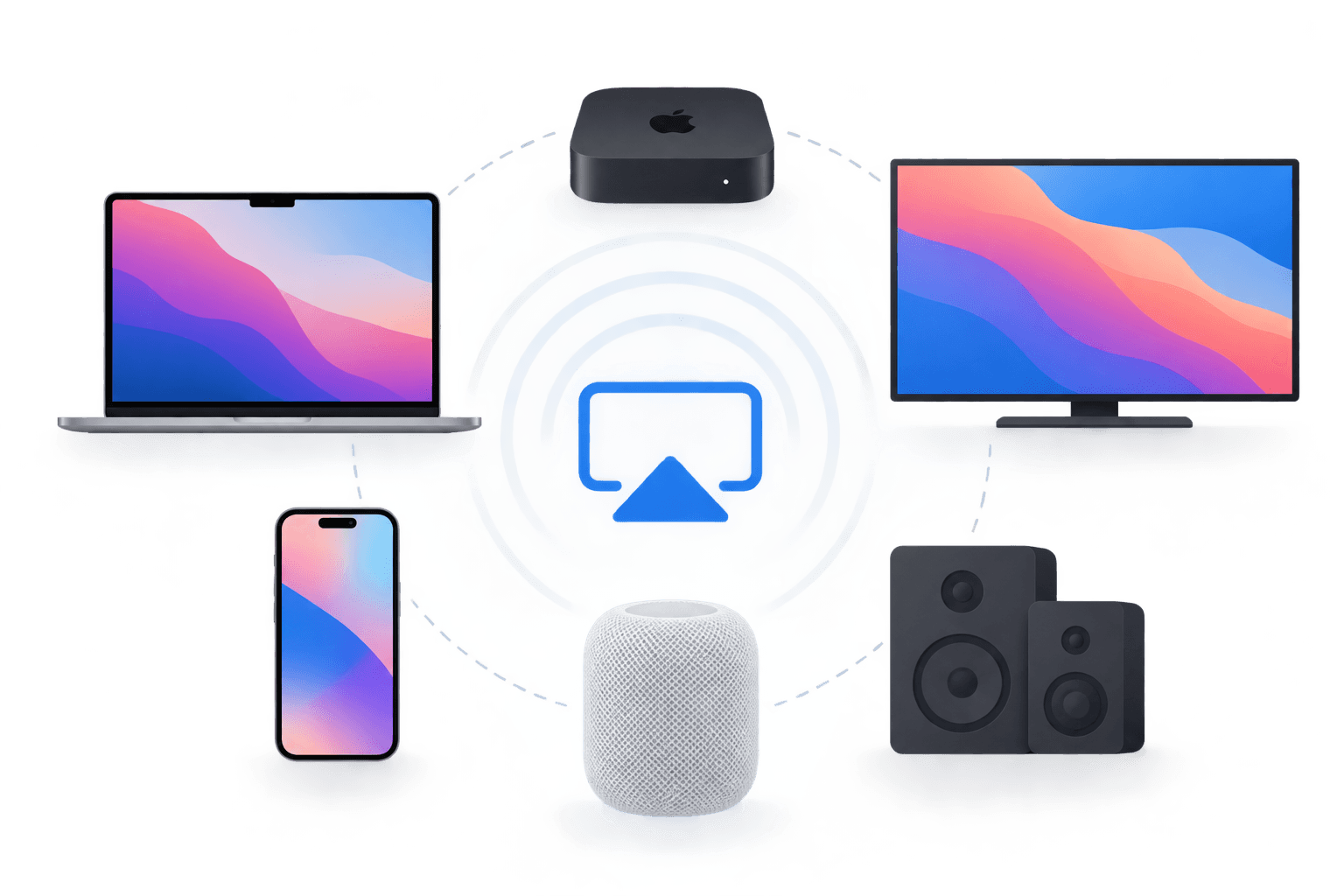
AirPlay’s capabilities arrived in stages, and receiving devices were built to support different parts of the system. A speaker that supports AirPlay audio, for example, does not necessarily support video playback or full-screen mirroring. Before using AirPlay, identify what you want to send and which devices are involved.
For a deeper look at differences in network behavior, latency, and content handling, see our technical comparison of Miracast, AirPlay, and Chromecast.
A few practical checks help narrow it down:
For music, confirm that the destination supports AirPlay audio.
For a video or photo, confirm support in both the app and receiver.
For full-screen sharing, check mirroring support for the specific sender, OS version, and destination using Apple’s AirPlay streaming and mirroring guidance.
For smart TVs, verify AirPlay support for the exact model and check the manufacturer’s current compatibility requirements.
AirPlay’s capabilities arrived in stages, and receiving devices were built to support different parts of the system. A speaker that supports AirPlay audio, for example, does not necessarily support video playback or full-screen mirroring. Before using AirPlay, identify what you want to send and which devices are involved.
For a deeper look at differences in network behavior, latency, and content handling, see our technical comparison of Miracast, AirPlay, and Chromecast.
A few practical checks help narrow it down:
For music, confirm that the destination supports AirPlay audio.
For a video or photo, confirm support in both the app and receiver.
For full-screen sharing, check mirroring support for the specific sender, OS version, and destination using Apple’s AirPlay streaming and mirroring guidance.
For smart TVs, verify AirPlay support for the exact model and check the manufacturer’s current compatibility requirements.
AirPlay’s capabilities arrived in stages, and receiving devices were built to support different parts of the system. A speaker that supports AirPlay audio, for example, does not necessarily support video playback or full-screen mirroring. Before using AirPlay, identify what you want to send and which devices are involved.
For a deeper look at differences in network behavior, latency, and content handling, see our technical comparison of Miracast, AirPlay, and Chromecast.
A few practical checks help narrow it down:
For music, confirm that the destination supports AirPlay audio.
For a video or photo, confirm support in both the app and receiver.
For full-screen sharing, check mirroring support for the specific sender, OS version, and destination using Apple’s AirPlay streaming and mirroring guidance.
For smart TVs, verify AirPlay support for the exact model and check the manufacturer’s current compatibility requirements.
Conclusion
Conclusion
Conclusion
AirPlay’s evolution from AirTunes to screen mirroring, multi-room audio, and a broader receiver ecosystem reflects how Apple’s wireless sharing capabilities expanded over time. The key distinction remains simple: streaming media and mirroring a screen are different tasks, even when both use AirPlay. Understanding that difference—and checking what each device actually supports—makes it easier to choose the right setup today.
AirPlay’s evolution from AirTunes to screen mirroring, multi-room audio, and a broader receiver ecosystem reflects how Apple’s wireless sharing capabilities expanded over time. The key distinction remains simple: streaming media and mirroring a screen are different tasks, even when both use AirPlay. Understanding that difference—and checking what each device actually supports—makes it easier to choose the right setup today.
AirPlay’s evolution from AirTunes to screen mirroring, multi-room audio, and a broader receiver ecosystem reflects how Apple’s wireless sharing capabilities expanded over time. The key distinction remains simple: streaming media and mirroring a screen are different tasks, even when both use AirPlay. Understanding that difference—and checking what each device actually supports—makes it easier to choose the right setup today.
Table of content
Table of content


Still Need a Hand?
Still Need a Hand?
Still Need a Hand?
Explore more reviews, step-by-step guides, and troubleshooting tips—or contact us if you could not find the answer you needed.
Explore more reviews, step-by-step guides, and troubleshooting tips—or contact us if you could not find the answer you needed.
Explore more reviews, step-by-step guides, and troubleshooting tips—or contact us if you could not find the answer you needed.