Best Local Network Screen Mirroring Apps in 2026
Best Local Network Screen Mirroring Apps in 2026
Best Local Network Screen Mirroring Apps in 2026
Compare scrcpy, Reflector 4, and AirDroid Cast for local screen mirroring, offline requirements, compatibility, and practical setup considerations.
Compare scrcpy, Reflector 4, and AirDroid Cast for local screen mirroring, offline requirements, compatibility, and practical setup considerations.
Compare scrcpy, Reflector 4, and AirDroid Cast for local screen mirroring, offline requirements, compatibility, and practical setup considerations.
Choosing a screen mirroring app for your local network takes more than finding a “works over Wi-Fi” label. Two devices can share the same router while an app still relies on internet services for login, connection setup, or other features.
That distinction matters when you need to present without reliable internet, want to understand where your screen data travels, or prefer a direct connection between nearby devices.
Three options worth shortlisting are scrcpy for Android-to-computer mirroring, Reflector 4 for receiving supported wireless mirroring connections, and AirDroid Cast for its range of connection workflows. However, their documentation provides different levels of evidence about local operation.
This article compares those documented capabilities and explains what to check before choosing. It is a research-based shortlist, not a hands-on performance ranking: no packet captures, offline reliability tests, or latency measurements were conducted for this article.
Choosing a screen mirroring app for your local network takes more than finding a “works over Wi-Fi” label. Two devices can share the same router while an app still relies on internet services for login, connection setup, or other features.
That distinction matters when you need to present without reliable internet, want to understand where your screen data travels, or prefer a direct connection between nearby devices.
Three options worth shortlisting are scrcpy for Android-to-computer mirroring, Reflector 4 for receiving supported wireless mirroring connections, and AirDroid Cast for its range of connection workflows. However, their documentation provides different levels of evidence about local operation.
This article compares those documented capabilities and explains what to check before choosing. It is a research-based shortlist, not a hands-on performance ranking: no packet captures, offline reliability tests, or latency measurements were conducted for this article.
Choosing a screen mirroring app for your local network takes more than finding a “works over Wi-Fi” label. Two devices can share the same router while an app still relies on internet services for login, connection setup, or other features.
That distinction matters when you need to present without reliable internet, want to understand where your screen data travels, or prefer a direct connection between nearby devices.
Three options worth shortlisting are scrcpy for Android-to-computer mirroring, Reflector 4 for receiving supported wireless mirroring connections, and AirDroid Cast for its range of connection workflows. However, their documentation provides different levels of evidence about local operation.
This article compares those documented capabilities and explains what to check before choosing. It is a research-based shortlist, not a hands-on performance ranking: no packet captures, offline reliability tests, or latency measurements were conducted for this article.
What Does “Local Network Screen Mirroring” Mean?
What Does “Local Network Screen Mirroring” Mean?
What Does “Local Network Screen Mirroring” Mean?
Local network screen mirroring sends a live view of one device’s display to another device on the same local network. That network can remain available even when its internet connection is disconnected.
For purchasing decisions, separate three requirements:
Requirement | What it means |
|---|---|
Local media transmission | Screen and audio traffic travel between devices within your network. |
Offline everyday use | After setup, you can start and reconnect mirroring sessions without internet access. |
Offline first-time setup | With installation files available, you can configure the app without online login or activation. |
An app may meet the first requirement without meeting the other two. For example, a local connection could still depend on an online service to establish a session.
Also distinguish screen mirroring from casting online media. Showing your device’s display and asking a receiver to play an internet video are different workflows. A service such as YouTube may need internet access even when the mirroring connection itself is local.
Local network screen mirroring sends a live view of one device’s display to another device on the same local network. That network can remain available even when its internet connection is disconnected.
For purchasing decisions, separate three requirements:
Requirement | What it means |
|---|---|
Local media transmission | Screen and audio traffic travel between devices within your network. |
Offline everyday use | After setup, you can start and reconnect mirroring sessions without internet access. |
Offline first-time setup | With installation files available, you can configure the app without online login or activation. |
An app may meet the first requirement without meeting the other two. For example, a local connection could still depend on an online service to establish a session.
Also distinguish screen mirroring from casting online media. Showing your device’s display and asking a receiver to play an internet video are different workflows. A service such as YouTube may need internet access even when the mirroring connection itself is local.
Local network screen mirroring sends a live view of one device’s display to another device on the same local network. That network can remain available even when its internet connection is disconnected.
For purchasing decisions, separate three requirements:
Requirement | What it means |
|---|---|
Local media transmission | Screen and audio traffic travel between devices within your network. |
Offline everyday use | After setup, you can start and reconnect mirroring sessions without internet access. |
Offline first-time setup | With installation files available, you can configure the app without online login or activation. |
An app may meet the first requirement without meeting the other two. For example, a local connection could still depend on an online service to establish a session.
Also distinguish screen mirroring from casting online media. Showing your device’s display and asking a receiver to play an internet video are different workflows. A service such as YouTube may need internet access even when the mirroring connection itself is local.
Quick Comparison: Which App Should You Investigate First?
Quick Comparison: Which App Should You Investigate First?
Quick Comparison: Which App Should You Investigate First?
App | Best starting point for | Evidence of local operation | Main consideration |
|---|---|---|---|
scrcpy (GitHub) | Android users comfortable with technical setup | Official documentation describes ADB connections over TCP/IP on the same network | Wireless debugging and pairing add setup steps |
Reflector 4 | Users who want a computer to receive supported mirroring connections | Official documentation describes local AirPlay connections | Check your sending device, protocol, and licensing requirements |
AirDroid Cast | Users comparing several device and connection workflows | Official documentation includes local wireless mirroring | “Same Wi-Fi” does not establish complete offline independence |
These are scenario-based recommendations. No single app is the best choice for every sending device, receiving device, and internet restriction.
App | Best starting point for | Evidence of local operation | Main consideration |
|---|---|---|---|
scrcpy (GitHub) | Android users comfortable with technical setup | Official documentation describes ADB connections over TCP/IP on the same network | Wireless debugging and pairing add setup steps |
Reflector 4 | Users who want a computer to receive supported mirroring connections | Official documentation describes local AirPlay connections | Check your sending device, protocol, and licensing requirements |
AirDroid Cast | Users comparing several device and connection workflows | Official documentation includes local wireless mirroring | “Same Wi-Fi” does not establish complete offline independence |
These are scenario-based recommendations. No single app is the best choice for every sending device, receiving device, and internet restriction.
App | Best starting point for | Evidence of local operation | Main consideration |
|---|---|---|---|
scrcpy (GitHub) | Android users comfortable with technical setup | Official documentation describes ADB connections over TCP/IP on the same network | Wireless debugging and pairing add setup steps |
Reflector 4 | Users who want a computer to receive supported mirroring connections | Official documentation describes local AirPlay connections | Check your sending device, protocol, and licensing requirements |
AirDroid Cast | Users comparing several device and connection workflows | Official documentation includes local wireless mirroring | “Same Wi-Fi” does not establish complete offline independence |
These are scenario-based recommendations. No single app is the best choice for every sending device, receiving device, and internet restriction.
1. scrcpy: A Strong Starting Point for Android-to-Computer Mirroring
1. scrcpy: A Strong Starting Point for Android-to-Computer Mirroring
1. scrcpy: A Strong Starting Point for Android-to-Computer Mirroring
scrcpy deserves attention if you want to mirror an Android device to a computer and are comfortable configuring its connection.
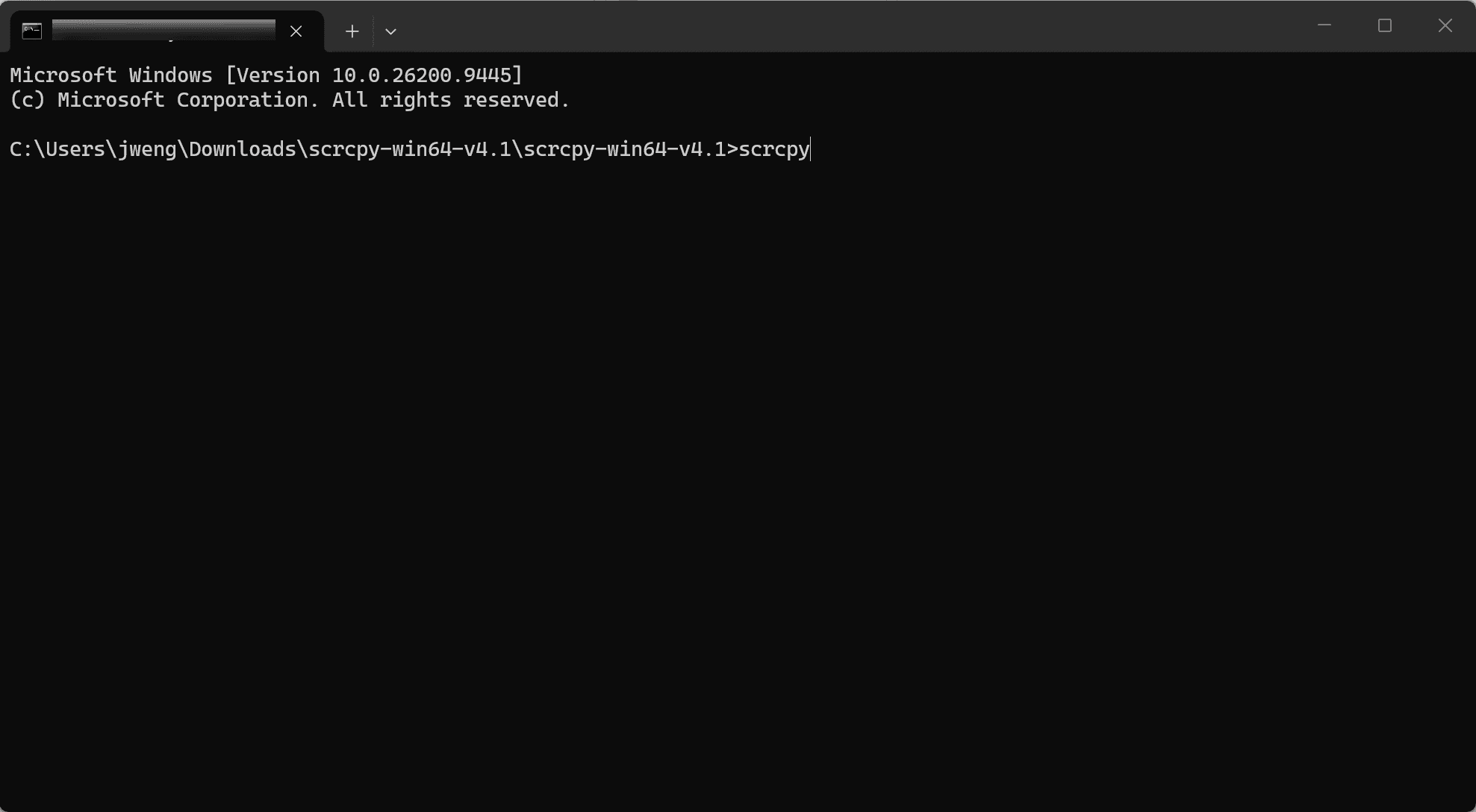
The developer describes scrcpy as free and open source, available for Windows, macOS, and Linux, with no account or internet connection required. That gives it the clearest explicit offline-use statement among these three candidates. Wireless mirroring still requires a correctly configured local ADB connection. [Official project]
Why choose it?
The setup supports connecting to a device by its local IP address. That makes scrcpy a useful candidate when your main concern is establishing a connection between a particular Android device and computer.
The documentation also describes multiple setup methods. One involves initially connecting through USB to configure TCP/IP mode. Android 11 and later offer a wireless debugging route that can avoid that initial physical connection.
What are the trade-offs?
Setup requires more involvement than opening a receiver app and selecting it from a familiar mirroring menu. Users need to understand debugging authorization, device selection, and wireless connection details.
Do not assume that a successful first connection guarantees effortless reconnection after restarting either device. Test the exact procedure you expect to use regularly.
Choose scrcpy when: your source device is Android, your destination is a computer, and you accept a more technical setup.
Check before committing: wireless pairing, restart behavior, audio support on your configuration, and whether you can reconnect with internet access blocked.
scrcpy deserves attention if you want to mirror an Android device to a computer and are comfortable configuring its connection.
The developer describes scrcpy as free and open source, available for Windows, macOS, and Linux, with no account or internet connection required. That gives it the clearest explicit offline-use statement among these three candidates. Wireless mirroring still requires a correctly configured local ADB connection. [Official project]
Why choose it?
The setup supports connecting to a device by its local IP address. That makes scrcpy a useful candidate when your main concern is establishing a connection between a particular Android device and computer.
The documentation also describes multiple setup methods. One involves initially connecting through USB to configure TCP/IP mode. Android 11 and later offer a wireless debugging route that can avoid that initial physical connection.
What are the trade-offs?
Setup requires more involvement than opening a receiver app and selecting it from a familiar mirroring menu. Users need to understand debugging authorization, device selection, and wireless connection details.
Do not assume that a successful first connection guarantees effortless reconnection after restarting either device. Test the exact procedure you expect to use regularly.
Choose scrcpy when: your source device is Android, your destination is a computer, and you accept a more technical setup.
Check before committing: wireless pairing, restart behavior, audio support on your configuration, and whether you can reconnect with internet access blocked.
scrcpy deserves attention if you want to mirror an Android device to a computer and are comfortable configuring its connection.
The developer describes scrcpy as free and open source, available for Windows, macOS, and Linux, with no account or internet connection required. That gives it the clearest explicit offline-use statement among these three candidates. Wireless mirroring still requires a correctly configured local ADB connection. [Official project]
Why choose it?
The setup supports connecting to a device by its local IP address. That makes scrcpy a useful candidate when your main concern is establishing a connection between a particular Android device and computer.
The documentation also describes multiple setup methods. One involves initially connecting through USB to configure TCP/IP mode. Android 11 and later offer a wireless debugging route that can avoid that initial physical connection.
What are the trade-offs?
Setup requires more involvement than opening a receiver app and selecting it from a familiar mirroring menu. Users need to understand debugging authorization, device selection, and wireless connection details.
Do not assume that a successful first connection guarantees effortless reconnection after restarting either device. Test the exact procedure you expect to use regularly.
Choose scrcpy when: your source device is Android, your destination is a computer, and you accept a more technical setup.
Check before committing: wireless pairing, restart behavior, audio support on your configuration, and whether you can reconnect with internet access blocked.
2. Reflector 4: A Candidate for Receiving Wireless Mirroring on a Computer
2. Reflector 4: A Candidate for Receiving Wireless Mirroring on a Computer
2. Reflector 4: A Candidate for Receiving Wireless Mirroring on a Computer
Reflector 4 is worth considering when you want a Windows or Mac computer to receive supported mirroring connections.
Its technical specifications require a local network connection between devices. The documentation also highlights network discovery requirements, including Bonjour and mDNS, which can affect whether devices find one another. [Network specifications]
Why choose it?
Reflector offers relatively explicit documentation about the local network path. Its networking guide states that AirPlay applications use a direct connection through the local network and describes the ports involved.
The guide separately mentions external access for directly connected online videos. That distinction is useful: the network requirements of local screen mirroring should not be confused with those of internet content playback.
What are the trade-offs?
Network configuration can be a deciding factor. On managed office, school, or guest networks, discovery traffic may be restricted. Connecting both devices to a similarly named Wi-Fi network does not guarantee they can communicate.
The documentation provides a reason to shortlist Reflector, but it does not replace checking first-time activation, license validation, and offline startup on your installation. Results should also be recorded separately for each protocol and device direction.
Choose Reflector when: you want a computer to act as a receiver and your sending device supports a compatible mirroring method.
Check before committing: device discovery, the specific protocol you will use, and the ability to start a fresh session after disconnecting the internet.
Reflector 4 is worth considering when you want a Windows or Mac computer to receive supported mirroring connections.
Its technical specifications require a local network connection between devices. The documentation also highlights network discovery requirements, including Bonjour and mDNS, which can affect whether devices find one another. [Network specifications]
Why choose it?
Reflector offers relatively explicit documentation about the local network path. Its networking guide states that AirPlay applications use a direct connection through the local network and describes the ports involved.
The guide separately mentions external access for directly connected online videos. That distinction is useful: the network requirements of local screen mirroring should not be confused with those of internet content playback.
What are the trade-offs?
Network configuration can be a deciding factor. On managed office, school, or guest networks, discovery traffic may be restricted. Connecting both devices to a similarly named Wi-Fi network does not guarantee they can communicate.
The documentation provides a reason to shortlist Reflector, but it does not replace checking first-time activation, license validation, and offline startup on your installation. Results should also be recorded separately for each protocol and device direction.
Choose Reflector when: you want a computer to act as a receiver and your sending device supports a compatible mirroring method.
Check before committing: device discovery, the specific protocol you will use, and the ability to start a fresh session after disconnecting the internet.
Reflector 4 is worth considering when you want a Windows or Mac computer to receive supported mirroring connections.
Its technical specifications require a local network connection between devices. The documentation also highlights network discovery requirements, including Bonjour and mDNS, which can affect whether devices find one another. [Network specifications]
Why choose it?
Reflector offers relatively explicit documentation about the local network path. Its networking guide states that AirPlay applications use a direct connection through the local network and describes the ports involved.
The guide separately mentions external access for directly connected online videos. That distinction is useful: the network requirements of local screen mirroring should not be confused with those of internet content playback.
What are the trade-offs?
Network configuration can be a deciding factor. On managed office, school, or guest networks, discovery traffic may be restricted. Connecting both devices to a similarly named Wi-Fi network does not guarantee they can communicate.
The documentation provides a reason to shortlist Reflector, but it does not replace checking first-time activation, license validation, and offline startup on your installation. Results should also be recorded separately for each protocol and device direction.
Choose Reflector when: you want a computer to act as a receiver and your sending device supports a compatible mirroring method.
Check before committing: device discovery, the specific protocol you will use, and the ability to start a fresh session after disconnecting the internet.
3. AirDroid Cast: Worth Comparing for Multiple Connection Workflows
3. AirDroid Cast: Worth Comparing for Multiple Connection Workflows
3. AirDroid Cast: Worth Comparing for Multiple Connection Workflows
AirDroid Cast documents local wireless, remote wireless, and USB workflows. Its Android-to-computer local wireless instructions tell users to install the app on both devices and connect them to the same Wi-Fi network.
Why choose it?
Having several connection workflows may be useful if your needs change. You might normally mirror within a room but occasionally need a different connection method.
The official guide also covers computer-to-computer and browser-based casting. This makes AirDroid Cast a candidate for users evaluating more than one device direction.
What are the trade-offs?
The important limitation is evidential: instructions for local wireless use do not establish that every stage works without the internet.
For example, the computer-to-computer workflow includes account sign-in, while browser casting starts at a hosted web address. These are separate workflows and should be evaluated individually. Neither their interface nor a “local network” label proves where all traffic goes or whether offline session setup works.
Choose AirDroid Cast when: workflow flexibility matters and you are prepared to verify the exact mode you need.
Check before committing: whether login, casting codes, browser loading, or reconnection require internet access. Confirm which features are included in the relevant plan.
AirDroid Cast documents local wireless, remote wireless, and USB workflows. Its Android-to-computer local wireless instructions tell users to install the app on both devices and connect them to the same Wi-Fi network.
Why choose it?
Having several connection workflows may be useful if your needs change. You might normally mirror within a room but occasionally need a different connection method.
The official guide also covers computer-to-computer and browser-based casting. This makes AirDroid Cast a candidate for users evaluating more than one device direction.
What are the trade-offs?
The important limitation is evidential: instructions for local wireless use do not establish that every stage works without the internet.
For example, the computer-to-computer workflow includes account sign-in, while browser casting starts at a hosted web address. These are separate workflows and should be evaluated individually. Neither their interface nor a “local network” label proves where all traffic goes or whether offline session setup works.
Choose AirDroid Cast when: workflow flexibility matters and you are prepared to verify the exact mode you need.
Check before committing: whether login, casting codes, browser loading, or reconnection require internet access. Confirm which features are included in the relevant plan.
AirDroid Cast documents local wireless, remote wireless, and USB workflows. Its Android-to-computer local wireless instructions tell users to install the app on both devices and connect them to the same Wi-Fi network.
Why choose it?
Having several connection workflows may be useful if your needs change. You might normally mirror within a room but occasionally need a different connection method.
The official guide also covers computer-to-computer and browser-based casting. This makes AirDroid Cast a candidate for users evaluating more than one device direction.
What are the trade-offs?
The important limitation is evidential: instructions for local wireless use do not establish that every stage works without the internet.
For example, the computer-to-computer workflow includes account sign-in, while browser casting starts at a hosted web address. These are separate workflows and should be evaluated individually. Neither their interface nor a “local network” label proves where all traffic goes or whether offline session setup works.
Choose AirDroid Cast when: workflow flexibility matters and you are prepared to verify the exact mode you need.
Check before committing: whether login, casting codes, browser loading, or reconnection require internet access. Confirm which features are included in the relevant plan.
How to Check Whether an App Really Works Without Internet
How to Check Whether an App Really Works Without Internet
How to Check Whether an App Really Works Without Internet
A simple offline test can prevent an unsuitable purchase.
First, install and configure the app. Mirror a local photo, document, or downloaded video to confirm that the normal setup works.
Next, disconnect your router’s internet connection while keeping the local network running. Disable mobile data and other backup internet connections on the participating devices.
Then test three situations:
An existing session: does mirroring continue after internet access disappears?
A new session: can you stop mirroring and establish a fresh connection?
A restarted setup: can you restart both apps or devices and connect again?
Record any login prompts, activation errors, unavailable casting codes, or discovery failures.
Passing these checks demonstrates offline usability under those conditions. It does not establish that the app never contacts external services when internet access is available. That requires network observation during online operation as well.
A simple offline test can prevent an unsuitable purchase.
First, install and configure the app. Mirror a local photo, document, or downloaded video to confirm that the normal setup works.
Next, disconnect your router’s internet connection while keeping the local network running. Disable mobile data and other backup internet connections on the participating devices.
Then test three situations:
An existing session: does mirroring continue after internet access disappears?
A new session: can you stop mirroring and establish a fresh connection?
A restarted setup: can you restart both apps or devices and connect again?
Record any login prompts, activation errors, unavailable casting codes, or discovery failures.
Passing these checks demonstrates offline usability under those conditions. It does not establish that the app never contacts external services when internet access is available. That requires network observation during online operation as well.
A simple offline test can prevent an unsuitable purchase.
First, install and configure the app. Mirror a local photo, document, or downloaded video to confirm that the normal setup works.
Next, disconnect your router’s internet connection while keeping the local network running. Disable mobile data and other backup internet connections on the participating devices.
Then test three situations:
An existing session: does mirroring continue after internet access disappears?
A new session: can you stop mirroring and establish a fresh connection?
A restarted setup: can you restart both apps or devices and connect again?
Record any login prompts, activation errors, unavailable casting codes, or discovery failures.
Passing these checks demonstrates offline usability under those conditions. It does not establish that the app never contacts external services when internet access is available. That requires network observation during online operation as well.
How to Compare Quality, Privacy, and Cost
How to Compare Quality, Privacy, and Cost
How to Compare Quality, Privacy, and Cost
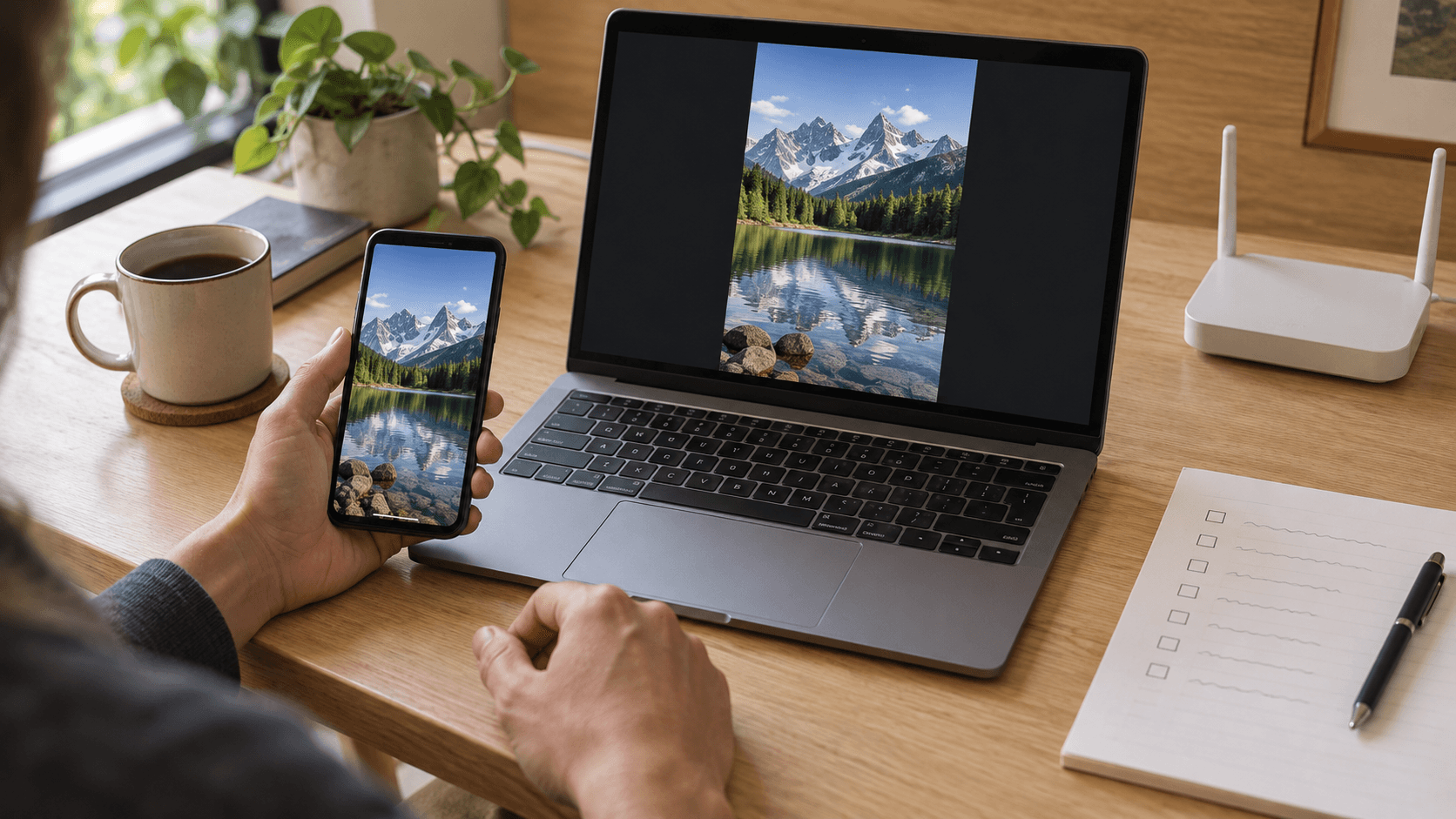
Once an app meets your local-operation requirement, compare everyday usability.
Compatibility comes first. Write down your exact direction, such as Android to Windows or iPhone to Mac. A product supporting several platforms may offer different features in each direction.
Compare latency fairly. Use the same devices, network, and content. Test scrolling text, moving video, and the interactions you actually need. This research does not establish a latency winner.
Look beyond a brief connection. Run a longer session and check for freezes, audio drift, disconnects, and recovery after interruption.
Treat privacy as a separate question. Local transmission is useful information, but it does not establish the absence of analytics, account data collection, or other external communication. Review permissions and privacy documentation alongside observed network behavior.
Check the price of your required workflow. Verify the current plan, license terms, device limits, and paid features before purchasing. A free local mode may not include the controls or connection options you need.
Once an app meets your local-operation requirement, compare everyday usability.
Compatibility comes first. Write down your exact direction, such as Android to Windows or iPhone to Mac. A product supporting several platforms may offer different features in each direction.
Compare latency fairly. Use the same devices, network, and content. Test scrolling text, moving video, and the interactions you actually need. This research does not establish a latency winner.
Look beyond a brief connection. Run a longer session and check for freezes, audio drift, disconnects, and recovery after interruption.
Treat privacy as a separate question. Local transmission is useful information, but it does not establish the absence of analytics, account data collection, or other external communication. Review permissions and privacy documentation alongside observed network behavior.
Check the price of your required workflow. Verify the current plan, license terms, device limits, and paid features before purchasing. A free local mode may not include the controls or connection options you need.
Once an app meets your local-operation requirement, compare everyday usability.
Compatibility comes first. Write down your exact direction, such as Android to Windows or iPhone to Mac. A product supporting several platforms may offer different features in each direction.
Compare latency fairly. Use the same devices, network, and content. Test scrolling text, moving video, and the interactions you actually need. This research does not establish a latency winner.
Look beyond a brief connection. Run a longer session and check for freezes, audio drift, disconnects, and recovery after interruption.
Treat privacy as a separate question. Local transmission is useful information, but it does not establish the absence of analytics, account data collection, or other external communication. Review permissions and privacy documentation alongside observed network behavior.
Check the price of your required workflow. Verify the current plan, license terms, device limits, and paid features before purchasing. A free local mode may not include the controls or connection options you need.
Frequently Asked Questions
Frequently Asked Questions
Frequently Asked Questions
Can screen mirroring work without internet?
Yes, provided the chosen app, protocol, and device combination can establish and maintain the connection locally. Test new sessions and restarts, not just an already-running session.
Is being on the same Wi-Fi enough?
No. It does not prove offline operation, and network restrictions may prevent discovery or communication between devices.
Which option should I try first?
Start with scrcpy for Android-to-computer use if technical setup is acceptable. Investigate Reflector for a computer-based receiver. Consider AirDroid Cast when you need several workflows, while checking internet dependencies separately for each mode.
What should determine the final choice?
Choose the app that passes your required local-use checks on your actual devices. Reliable discovery, repeatable offline reconnection, acceptable picture quality, and suitable licensing are more useful than an unsupported “best overall” label.
Can screen mirroring work without internet?
Yes, provided the chosen app, protocol, and device combination can establish and maintain the connection locally. Test new sessions and restarts, not just an already-running session.
Is being on the same Wi-Fi enough?
No. It does not prove offline operation, and network restrictions may prevent discovery or communication between devices.
Which option should I try first?
Start with scrcpy for Android-to-computer use if technical setup is acceptable. Investigate Reflector for a computer-based receiver. Consider AirDroid Cast when you need several workflows, while checking internet dependencies separately for each mode.
What should determine the final choice?
Choose the app that passes your required local-use checks on your actual devices. Reliable discovery, repeatable offline reconnection, acceptable picture quality, and suitable licensing are more useful than an unsupported “best overall” label.
Can screen mirroring work without internet?
Yes, provided the chosen app, protocol, and device combination can establish and maintain the connection locally. Test new sessions and restarts, not just an already-running session.
Is being on the same Wi-Fi enough?
No. It does not prove offline operation, and network restrictions may prevent discovery or communication between devices.
Which option should I try first?
Start with scrcpy for Android-to-computer use if technical setup is acceptable. Investigate Reflector for a computer-based receiver. Consider AirDroid Cast when you need several workflows, while checking internet dependencies separately for each mode.
What should determine the final choice?
Choose the app that passes your required local-use checks on your actual devices. Reliable discovery, repeatable offline reconnection, acceptable picture quality, and suitable licensing are more useful than an unsupported “best overall” label.
Table of content
Table of content


Still Need a Hand?
Still Need a Hand?
Still Need a Hand?
Explore more reviews, step-by-step guides, and troubleshooting tips—or contact us if you could not find the answer you needed.
Explore more reviews, step-by-step guides, and troubleshooting tips—or contact us if you could not find the answer you needed.
Explore more reviews, step-by-step guides, and troubleshooting tips—or contact us if you could not find the answer you needed.