
1001TVs vs LetsView: Which Screen Mirroring App Is Better in 2026?
1001TVs vs LetsView: Which Screen Mirroring App Is Better in 2026?
1001TVs vs LetsView: Which Screen Mirroring App Is Better in 2026?
Compare 1001TVs vs LetsView for phone-to-TV and PC mirroring, picture quality, ease of use, and pricing. Choose the right app for everyday casting.
Compare 1001TVs vs LetsView for phone-to-TV and PC mirroring, picture quality, ease of use, and pricing. Choose the right app for everyday casting.
Compare 1001TVs vs LetsView for phone-to-TV and PC mirroring, picture quality, ease of use, and pricing. Choose the right app for everyday casting.
You want to put your phone’s screen on a TV or computer, connect without a struggle, and get a clear picture with working sound. Which app should you download: 1001 TVs or LetsView?
Both offer wireless screen mirroring. The useful differences are whether they support your devices, what you can access for free, and which features require payment.
This 1001TVs vs LetsView comparison focuses on everyday casting: sharing photos and videos on a TV, displaying your phone on a computer, and presenting content on a larger screen.
You want to put your phone’s screen on a TV or computer, connect without a struggle, and get a clear picture with working sound. Which app should you download: 1001 TVs or LetsView?
Both offer wireless screen mirroring. The useful differences are whether they support your devices, what you can access for free, and which features require payment.
This 1001TVs vs LetsView comparison focuses on everyday casting: sharing photos and videos on a TV, displaying your phone on a computer, and presenting content on a larger screen.
You want to put your phone’s screen on a TV or computer, connect without a struggle, and get a clear picture with working sound. Which app should you download: 1001 TVs or LetsView?
Both offer wireless screen mirroring. The useful differences are whether they support your devices, what you can access for free, and which features require payment.
This 1001TVs vs LetsView comparison focuses on everyday casting: sharing photos and videos on a TV, displaying your phone on a computer, and presenting content on a larger screen.
1001TVs vs LetsView: At a Glance
1001TVs vs LetsView: At a Glance
1001TVs vs LetsView: At a Glance
What matters | 1001 TVs | LetsView |
|---|---|---|
Device support | iPhone, iPad, Android, Windows, Mac, Android TV, and Apple TV. | |
Everyday casting | Documents phone-to-TV, phone-to-computer, and computer-to-TV workflows. | Documents phone-to-computer and phone-to-TV workflows. |
Local wireless connection | Same-network setup in the documented workflows. | Same-network setup for local mirroring. |
Responsiveness | Felt more responsive in my use. | Less responsive in my comparison; no measured latency figures. |
Connection stability | My preferred option for connection consistency. | Less consistent in my use; results may differ on other setups. |
Picture quality | Settings and capabilities depend on the platform and mirroring mode. | Basic lists SD; Pro and Business list FHD, subject to device support. |
Free access | Free trial, then paid access. Ad-free throughout. | Free Basic tier, with paid upgrades. |
Cross-network casting | An equivalent remote service was not verified for this article. | Remote Cast is documented and separately charged. |
Privacy | Vendor says screen data stays on the local network. | Policy distinguishes mirroring content from account, usage, and device information. |
What matters | 1001 TVs | LetsView |
|---|---|---|
Device support | iPhone, iPad, Android, Windows, Mac, Android TV, and Apple TV. | |
Everyday casting | Documents phone-to-TV, phone-to-computer, and computer-to-TV workflows. | Documents phone-to-computer and phone-to-TV workflows. |
Local wireless connection | Same-network setup in the documented workflows. | Same-network setup for local mirroring. |
Responsiveness | Felt more responsive in my use. | Less responsive in my comparison; no measured latency figures. |
Connection stability | My preferred option for connection consistency. | Less consistent in my use; results may differ on other setups. |
Picture quality | Settings and capabilities depend on the platform and mirroring mode. | Basic lists SD; Pro and Business list FHD, subject to device support. |
Free access | Free trial, then paid access. Ad-free throughout. | Free Basic tier, with paid upgrades. |
Cross-network casting | An equivalent remote service was not verified for this article. | Remote Cast is documented and separately charged. |
Privacy | Vendor says screen data stays on the local network. | Policy distinguishes mirroring content from account, usage, and device information. |
What matters | 1001 TVs | LetsView |
|---|---|---|
Device support | iPhone, iPad, Android, Windows, Mac, Android TV, and Apple TV. | |
Everyday casting | Documents phone-to-TV, phone-to-computer, and computer-to-TV workflows. | Documents phone-to-computer and phone-to-TV workflows. |
Local wireless connection | Same-network setup in the documented workflows. | Same-network setup for local mirroring. |
Responsiveness | Felt more responsive in my use. | Less responsive in my comparison; no measured latency figures. |
Connection stability | My preferred option for connection consistency. | Less consistent in my use; results may differ on other setups. |
Picture quality | Settings and capabilities depend on the platform and mirroring mode. | Basic lists SD; Pro and Business list FHD, subject to device support. |
Free access | Free trial, then paid access. Ad-free throughout. | Free Basic tier, with paid upgrades. |
Cross-network casting | An equivalent remote service was not verified for this article. | Remote Cast is documented and separately charged. |
Privacy | Vendor says screen data stays on the local network. | Policy distinguishes mirroring content from account, usage, and device information. |
Phone-to-TV Mirroring: Which Fits Your Home Setup?
Phone-to-TV Mirroring: Which Fits Your Home Setup?
Phone-to-TV Mirroring: Which Fits Your Home Setup?
For sharing photos, displaying a phone app, or watching your own videos on a larger screen, start with the receiving device.
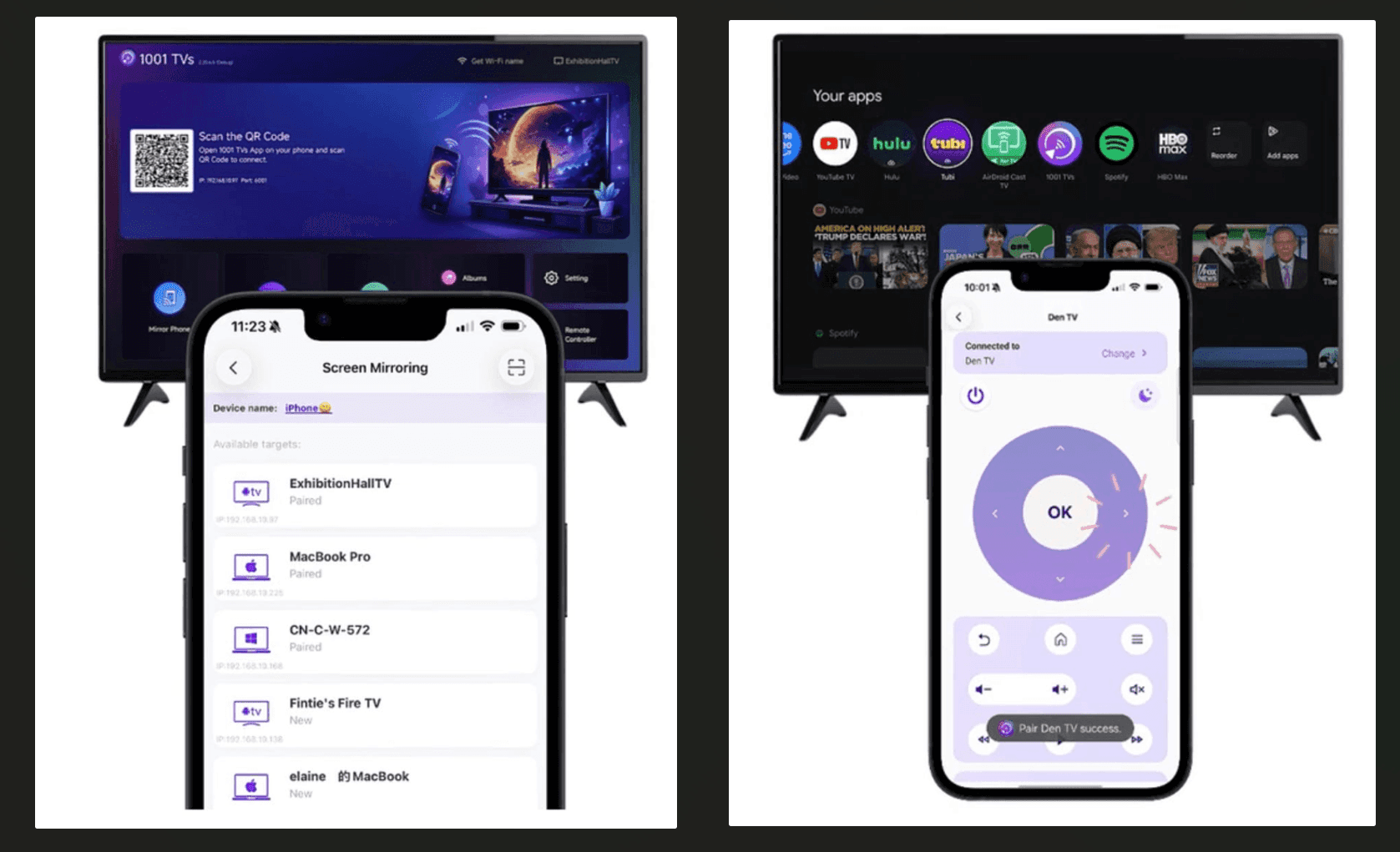
1001 TVs documents Android screen mirroring to compatible TVs, including Android TV, Apple TV, and Amazon Fire OS devices. Its feature guide also lists iPhone and iPad mirroring to Android TV and Apple TV.
1001 TVs also turns your phone into a TV remote. Its Remote Control feature lets you use an iPhone or Android phone to adjust volume, navigate apps, and control playback on compatible TVs.
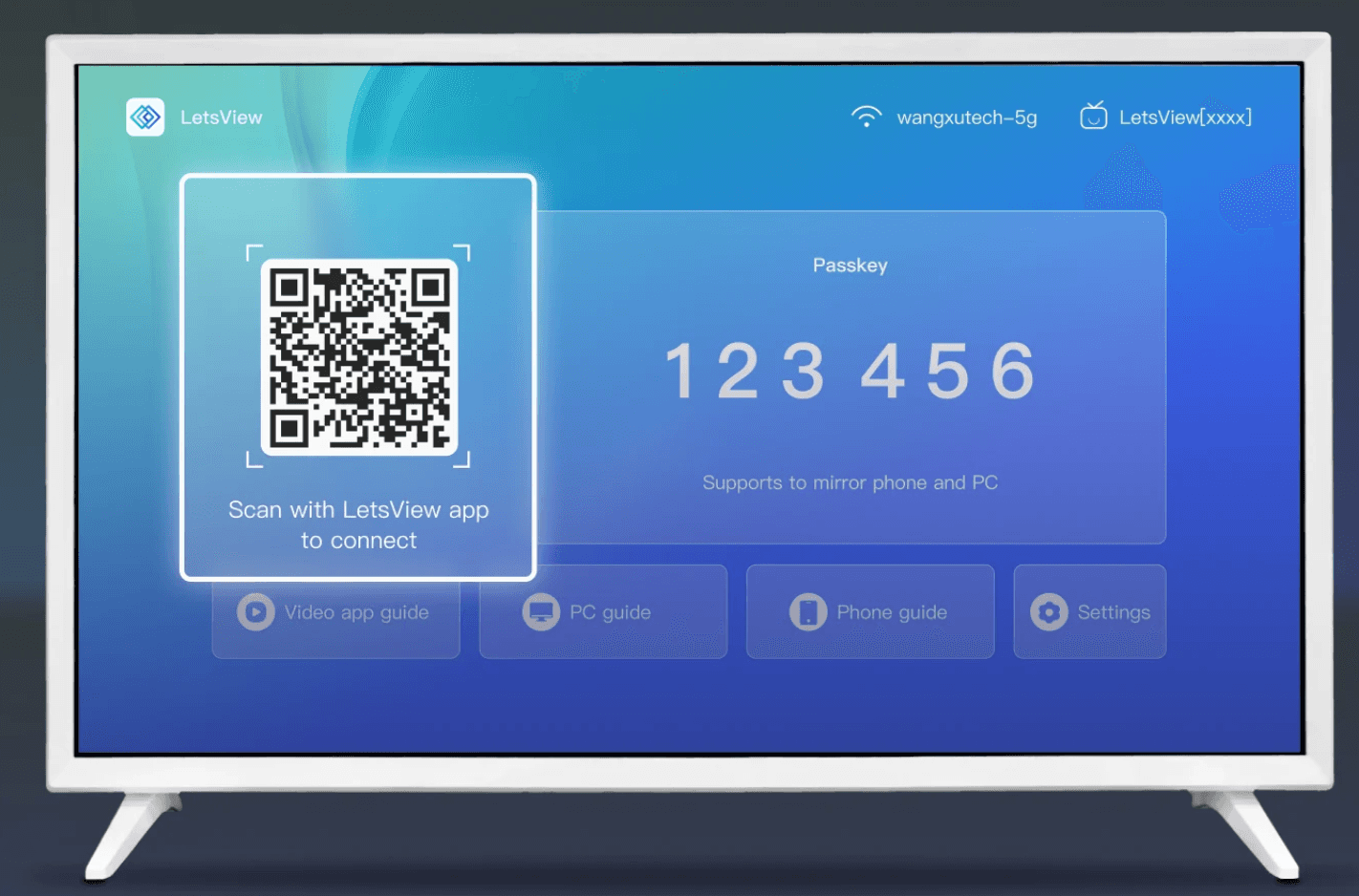
LetsView provides a phone-to-TV mirroring workflow as well. Check whether the receiver app is available for your particular TV or streaming device.
Do not decide by TV brand alone. The operating system and available apps matter.
If both apps support your setup, compare how easily you connect and how comfortably the content plays. For this decision, I would start with 1001 TVs because of my experience with its responsiveness and connection consistency.
You can check supported platforms and download 1001 TVs from the official download center.
For sharing photos, displaying a phone app, or watching your own videos on a larger screen, start with the receiving device.
1001 TVs documents Android screen mirroring to compatible TVs, including Android TV, Apple TV, and Amazon Fire OS devices. Its feature guide also lists iPhone and iPad mirroring to Android TV and Apple TV.
1001 TVs also turns your phone into a TV remote. Its Remote Control feature lets you use an iPhone or Android phone to adjust volume, navigate apps, and control playback on compatible TVs.
LetsView provides a phone-to-TV mirroring workflow as well. Check whether the receiver app is available for your particular TV or streaming device.
Do not decide by TV brand alone. The operating system and available apps matter.
If both apps support your setup, compare how easily you connect and how comfortably the content plays. For this decision, I would start with 1001 TVs because of my experience with its responsiveness and connection consistency.
You can check supported platforms and download 1001 TVs from the official download center.
For sharing photos, displaying a phone app, or watching your own videos on a larger screen, start with the receiving device.
1001 TVs documents Android screen mirroring to compatible TVs, including Android TV, Apple TV, and Amazon Fire OS devices. Its feature guide also lists iPhone and iPad mirroring to Android TV and Apple TV.
1001 TVs also turns your phone into a TV remote. Its Remote Control feature lets you use an iPhone or Android phone to adjust volume, navigate apps, and control playback on compatible TVs.
LetsView provides a phone-to-TV mirroring workflow as well. Check whether the receiver app is available for your particular TV or streaming device.
Do not decide by TV brand alone. The operating system and available apps matter.
If both apps support your setup, compare how easily you connect and how comfortably the content plays. For this decision, I would start with 1001 TVs because of my experience with its responsiveness and connection consistency.
You can check supported platforms and download 1001 TVs from the official download center.
Phone-to-PC Mirroring: Presentations and Everyday Sharing
Phone-to-PC Mirroring: Presentations and Everyday Sharing
Phone-to-PC Mirroring: Presentations and Everyday Sharing
Mirroring a phone to a computer is useful when you want to demonstrate an app, show a document, or display mobile content during a presentation.
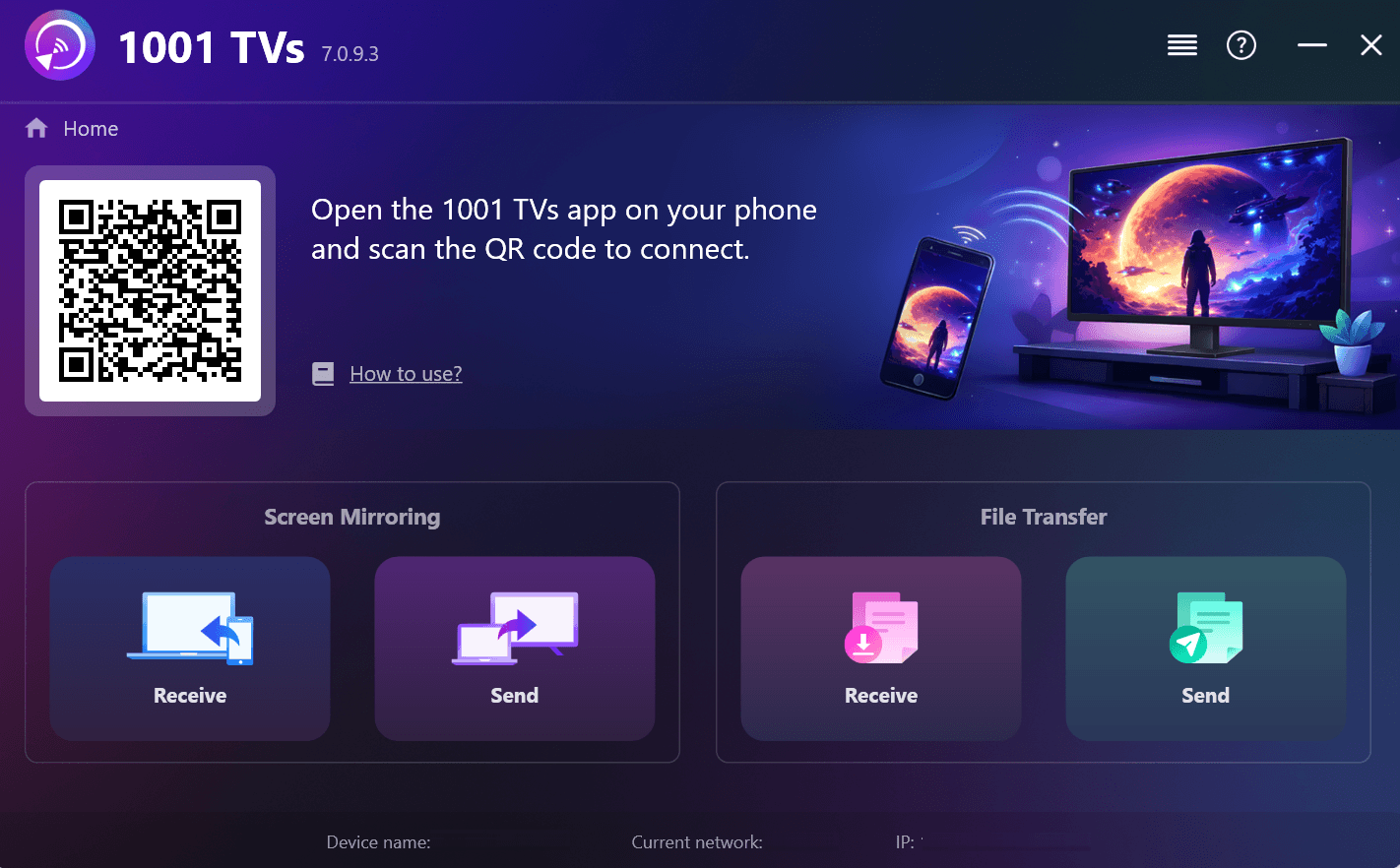
1001 TVs supports wireless Android-to-Windows and Android-to-Mac mirroring. Its feature guide also documents iPhone and iPad mirroring to Windows and Mac.
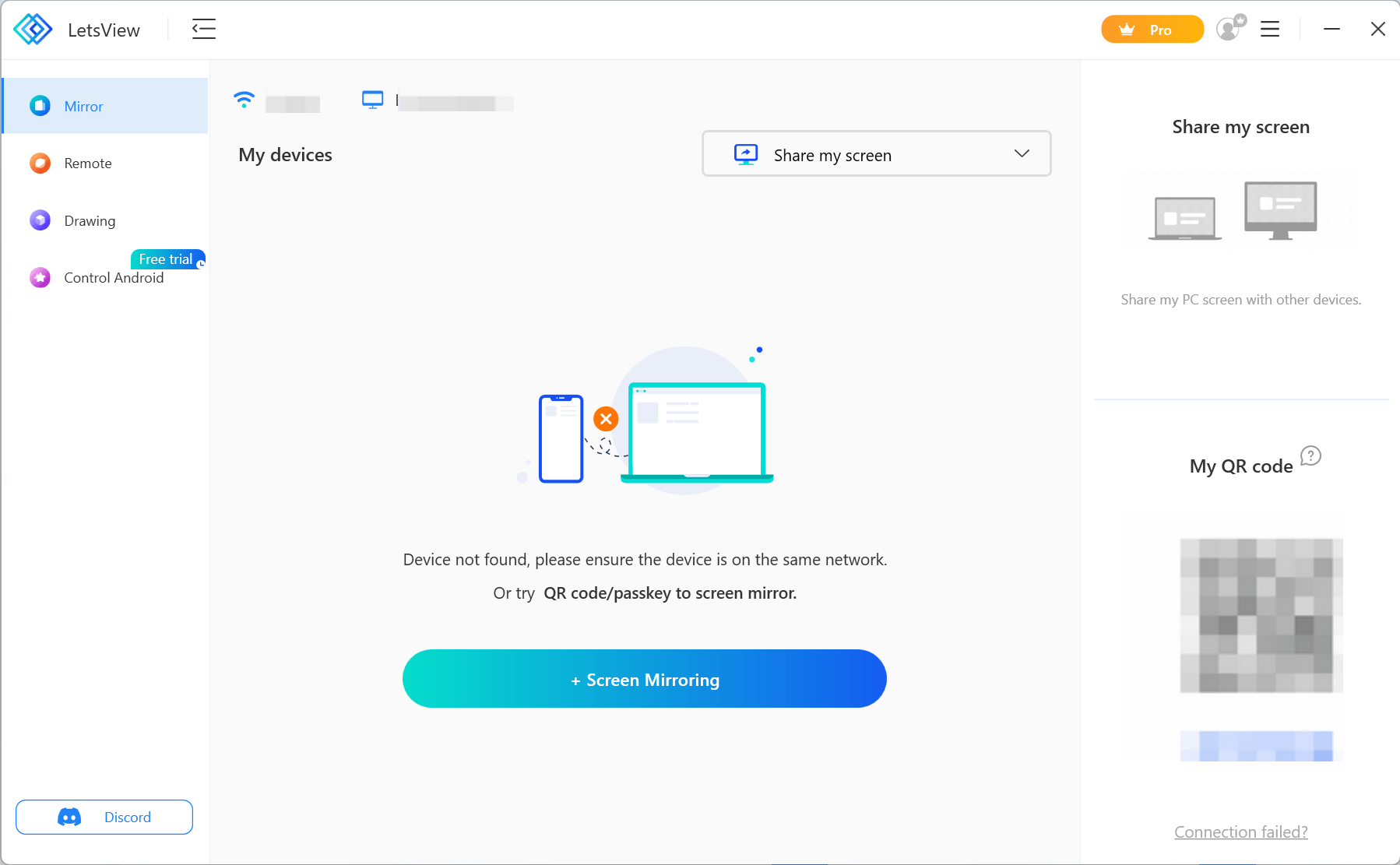
LetsView offers phone-to-computer screen mirroring on supported devices, making it another option for these tasks.
Before choosing, check whether small text is readable, the mirrored window fits your presentation, and the sound works with your source app. Also distinguish screen mirroring from remote control: displaying a phone’s screen does not automatically mean you can operate it from the computer.
For straightforward screen sharing, focus on those essentials before comparing additional tools.
Mirroring a phone to a computer is useful when you want to demonstrate an app, show a document, or display mobile content during a presentation.
1001 TVs supports wireless Android-to-Windows and Android-to-Mac mirroring. Its feature guide also documents iPhone and iPad mirroring to Windows and Mac.
LetsView offers phone-to-computer screen mirroring on supported devices, making it another option for these tasks.
Before choosing, check whether small text is readable, the mirrored window fits your presentation, and the sound works with your source app. Also distinguish screen mirroring from remote control: displaying a phone’s screen does not automatically mean you can operate it from the computer.
For straightforward screen sharing, focus on those essentials before comparing additional tools.
Mirroring a phone to a computer is useful when you want to demonstrate an app, show a document, or display mobile content during a presentation.
1001 TVs supports wireless Android-to-Windows and Android-to-Mac mirroring. Its feature guide also documents iPhone and iPad mirroring to Windows and Mac.
LetsView offers phone-to-computer screen mirroring on supported devices, making it another option for these tasks.
Before choosing, check whether small text is readable, the mirrored window fits your presentation, and the sound works with your source app. Also distinguish screen mirroring from remote control: displaying a phone’s screen does not automatically mean you can operate it from the computer.
For straightforward screen sharing, focus on those essentials before comparing additional tools.
Wireless Setup: How Easy Is It to Connect?
Wireless Setup: How Easy Is It to Connect?
Wireless Setup: How Easy Is It to Connect?
The two apps use similar local connection approaches.
The 1001 TVs setup guide describes opening the app on both devices, joining the same Wi-Fi network, and selecting the receiver or scanning its QR code.
LetsView’s QR connection guide also describes same-network pairing for phone-to-PC and phone-to-TV casting.
Neither documented process is especially complicated. The more useful question is how smoothly it works on your devices.
During the first session, check whether the receiver appears, whether the permission prompts are clear, and whether reconnecting is straightforward. If you intend to cast regularly, a repeatable connection process matters more than saving a single tap during installation.
The two apps use similar local connection approaches.
The 1001 TVs setup guide describes opening the app on both devices, joining the same Wi-Fi network, and selecting the receiver or scanning its QR code.
LetsView’s QR connection guide also describes same-network pairing for phone-to-PC and phone-to-TV casting.
Neither documented process is especially complicated. The more useful question is how smoothly it works on your devices.
During the first session, check whether the receiver appears, whether the permission prompts are clear, and whether reconnecting is straightforward. If you intend to cast regularly, a repeatable connection process matters more than saving a single tap during installation.
The two apps use similar local connection approaches.
The 1001 TVs setup guide describes opening the app on both devices, joining the same Wi-Fi network, and selecting the receiver or scanning its QR code.
LetsView’s QR connection guide also describes same-network pairing for phone-to-PC and phone-to-TV casting.
Neither documented process is especially complicated. The more useful question is how smoothly it works on your devices.
During the first session, check whether the receiver appears, whether the permission prompts are clear, and whether reconnecting is straightforward. If you intend to cast regularly, a repeatable connection process matters more than saving a single tap during installation.
Responsiveness and Stability: Why I Prefer 1001 TVs
Responsiveness and Stability: Why I Prefer 1001 TVs
Responsiveness and Stability: Why I Prefer 1001 TVs
In my experience, 1001 TVs felt more responsive and maintained a more stable connection than LetsView. That is the main reason I would choose it for everyday wireless mirroring.
Responsiveness matters when you scroll through a document, switch between apps, or demonstrate something on your phone. Connection consistency matters when you want to keep sharing without interruptions.
This preference is based on how the apps felt in use. It is not a measured claim that 1001 TVs always has lower latency or fewer disconnections.
For your own choice, try the same content on both apps using the same devices, network, and comparable settings. Check both the initial connection and a session long enough to represent how you will actually use the app.
In my experience, 1001 TVs felt more responsive and maintained a more stable connection than LetsView. That is the main reason I would choose it for everyday wireless mirroring.
Responsiveness matters when you scroll through a document, switch between apps, or demonstrate something on your phone. Connection consistency matters when you want to keep sharing without interruptions.
This preference is based on how the apps felt in use. It is not a measured claim that 1001 TVs always has lower latency or fewer disconnections.
For your own choice, try the same content on both apps using the same devices, network, and comparable settings. Check both the initial connection and a session long enough to represent how you will actually use the app.
In my experience, 1001 TVs felt more responsive and maintained a more stable connection than LetsView. That is the main reason I would choose it for everyday wireless mirroring.
Responsiveness matters when you scroll through a document, switch between apps, or demonstrate something on your phone. Connection consistency matters when you want to keep sharing without interruptions.
This preference is based on how the apps felt in use. It is not a measured claim that 1001 TVs always has lower latency or fewer disconnections.
For your own choice, try the same content on both apps using the same devices, network, and comparable settings. Check both the initial connection and a session long enough to represent how you will actually use the app.
Free Trial and Pricing: What Are You Paying For?
Free Trial and Pricing: What Are You Paying For?
Free Trial and Pricing: What Are You Paying For?
1001 TVs lets you try all features without upfront payment, and both trial and paid use are ad-free. Its official membership guide explains the purchase rules:
Paid membership is required only on the sending device after the trial.
Weekly, monthly, yearly, and lifetime options are listed; PC/Mac offers lifetime membership only.
Purchases are separate between phone, Windows, and Mac platforms.
Within each supported platform, purchases can be shared using the same relevant store account.
For phone-to-TV casting, the receiving TV therefore does not need a separate paid membership. Check the purchase screen for current local pricing.
LetsView offers an ongoing free Basic tier. Its pricing page places features such as watermark removal in paid plans and identifies Business as the commercially usable tier. Remote casting costs extra, including for Pro users.
1001 TVs suits readers who want to explore the full feature set before purchasing. LetsView suits readers whose needs are already covered by Basic.
1001 TVs lets you try all features without upfront payment, and both trial and paid use are ad-free. Its official membership guide explains the purchase rules:
Paid membership is required only on the sending device after the trial.
Weekly, monthly, yearly, and lifetime options are listed; PC/Mac offers lifetime membership only.
Purchases are separate between phone, Windows, and Mac platforms.
Within each supported platform, purchases can be shared using the same relevant store account.
For phone-to-TV casting, the receiving TV therefore does not need a separate paid membership. Check the purchase screen for current local pricing.
LetsView offers an ongoing free Basic tier. Its pricing page places features such as watermark removal in paid plans and identifies Business as the commercially usable tier. Remote casting costs extra, including for Pro users.
1001 TVs suits readers who want to explore the full feature set before purchasing. LetsView suits readers whose needs are already covered by Basic.
1001 TVs lets you try all features without upfront payment, and both trial and paid use are ad-free. Its official membership guide explains the purchase rules:
Paid membership is required only on the sending device after the trial.
Weekly, monthly, yearly, and lifetime options are listed; PC/Mac offers lifetime membership only.
Purchases are separate between phone, Windows, and Mac platforms.
Within each supported platform, purchases can be shared using the same relevant store account.
For phone-to-TV casting, the receiving TV therefore does not need a separate paid membership. Check the purchase screen for current local pricing.
LetsView offers an ongoing free Basic tier. Its pricing page places features such as watermark removal in paid plans and identifies Business as the commercially usable tier. Remote casting costs extra, including for Pro users.
1001 TVs suits readers who want to explore the full feature set before purchasing. LetsView suits readers whose needs are already covered by Basic.
Remote Casting and Privacy
Remote Casting and Privacy
Remote Casting and Privacy
Cross-network casting matters when the receiving device is somewhere else, rather than on your local network.
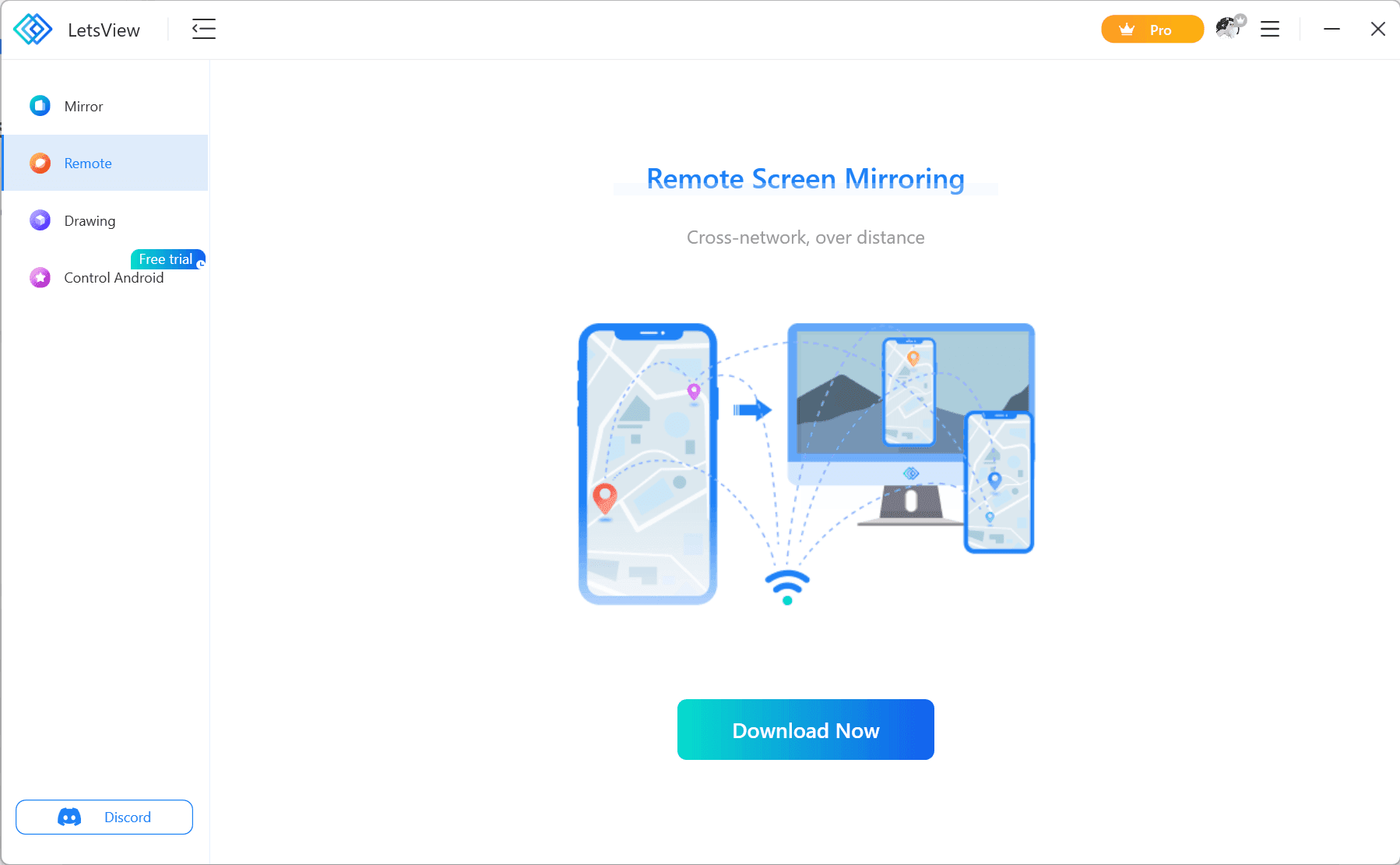
LetsView documents this through Remote Cast, which requires purchased casting time. It is the clearer documented choice here for remote sharing. An equivalent 1001 TVs service was not verified for this article.
For privacy, 1001 TVs states that screen data stays within the local network. LetsView’s privacy policy addresses mirroring content separately from account, usage, and device information.
These are vendor statements, not independent security findings. Local screen transmission does not, by itself, establish that an app collects no other data.
Cross-network casting matters when the receiving device is somewhere else, rather than on your local network.
LetsView documents this through Remote Cast, which requires purchased casting time. It is the clearer documented choice here for remote sharing. An equivalent 1001 TVs service was not verified for this article.
For privacy, 1001 TVs states that screen data stays within the local network. LetsView’s privacy policy addresses mirroring content separately from account, usage, and device information.
These are vendor statements, not independent security findings. Local screen transmission does not, by itself, establish that an app collects no other data.
Cross-network casting matters when the receiving device is somewhere else, rather than on your local network.
LetsView documents this through Remote Cast, which requires purchased casting time. It is the clearer documented choice here for remote sharing. An equivalent 1001 TVs service was not verified for this article.
For privacy, 1001 TVs states that screen data stays within the local network. LetsView’s privacy policy addresses mirroring content separately from account, usage, and device information.
These are vendor statements, not independent security findings. Local screen transmission does not, by itself, establish that an app collects no other data.
Final Choice: Which Should You Download?
Final Choice: Which Should You Download?
Final Choice: Which Should You Download?
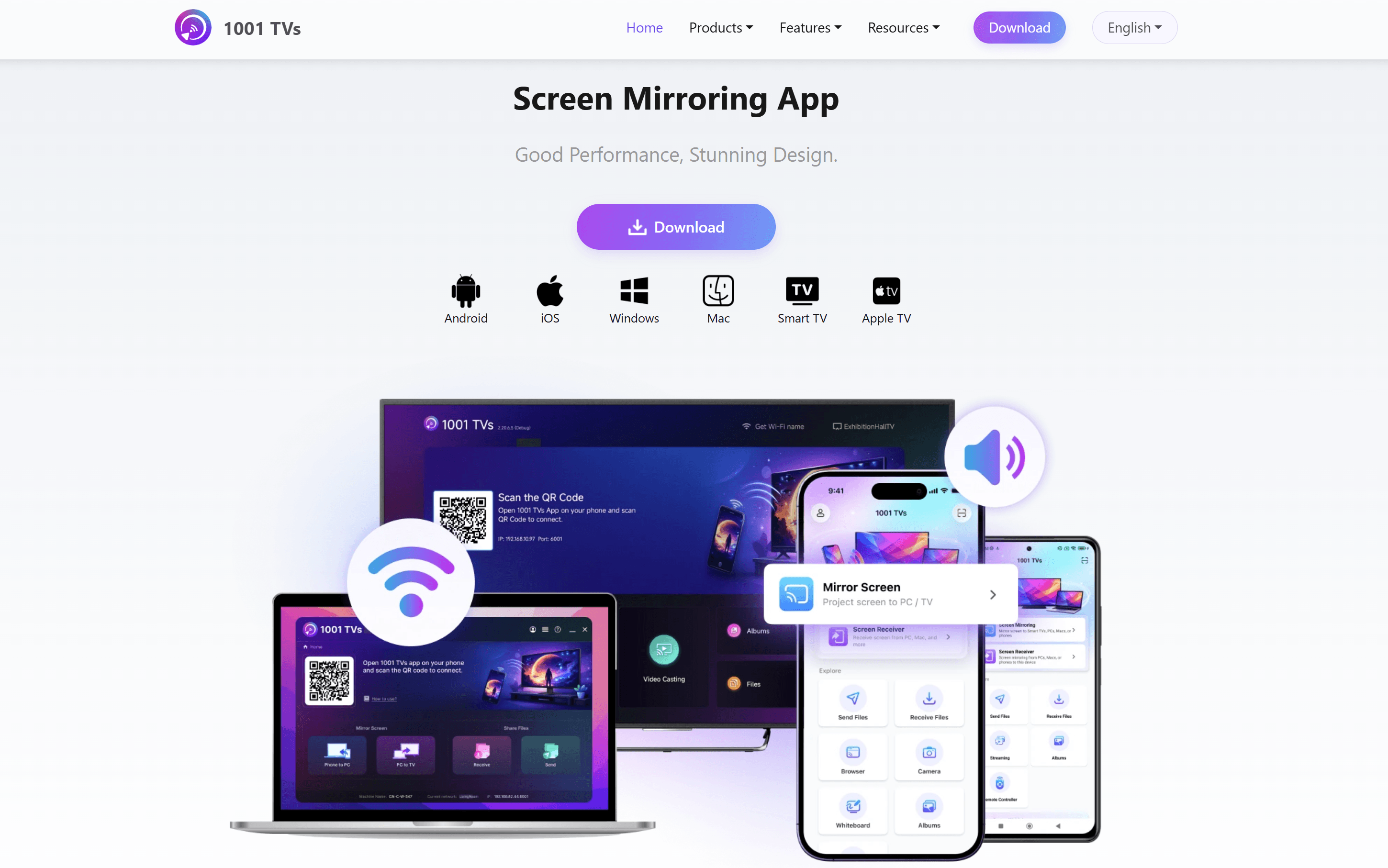
My choice in this 1001TVs vs LetsView comparison is 1001 TVs for everyday wireless mirroring, based on its responsiveness and connection stability in my use.
Its trial gives you a way to explore the features before purchasing. Download 1001 TVs and try it with the phone, TV, or computer you already use.
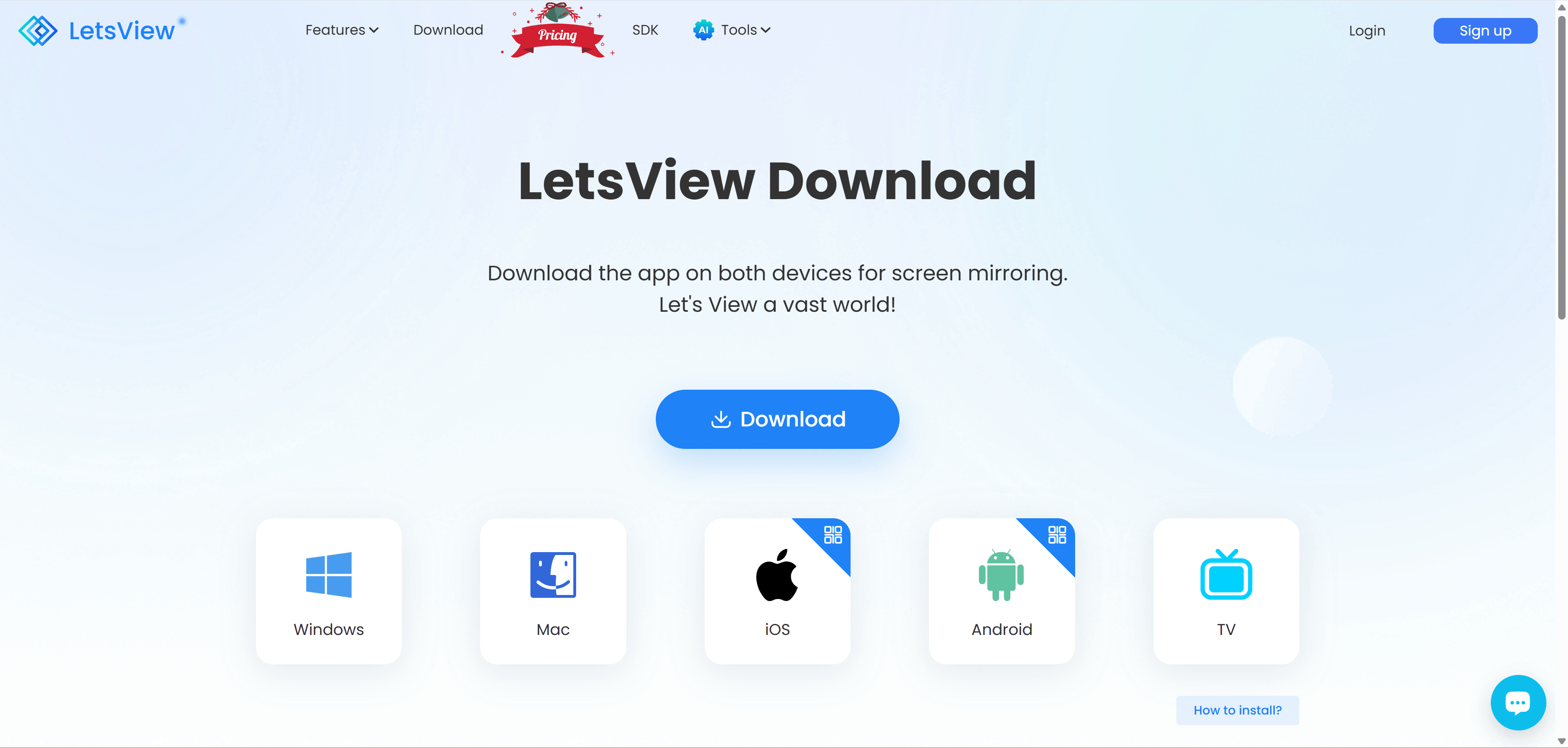
LetsView remains a reasonable choice if free basic mirroring is your priority, or if you specifically need its separately charged Remote Cast service.
Choose the app that supports your devices, handles your content comfortably, and offers the access you need at an acceptable price.
My choice in this 1001TVs vs LetsView comparison is 1001 TVs for everyday wireless mirroring, based on its responsiveness and connection stability in my use.
Its trial gives you a way to explore the features before purchasing. Download 1001 TVs and try it with the phone, TV, or computer you already use.
LetsView remains a reasonable choice if free basic mirroring is your priority, or if you specifically need its separately charged Remote Cast service.
Choose the app that supports your devices, handles your content comfortably, and offers the access you need at an acceptable price.
My choice in this 1001TVs vs LetsView comparison is 1001 TVs for everyday wireless mirroring, based on its responsiveness and connection stability in my use.
Its trial gives you a way to explore the features before purchasing. Download 1001 TVs and try it with the phone, TV, or computer you already use.
LetsView remains a reasonable choice if free basic mirroring is your priority, or if you specifically need its separately charged Remote Cast service.
Choose the app that supports your devices, handles your content comfortably, and offers the access you need at an acceptable price.
FAQ
FAQ
FAQ
Is 1001 TVs free?
You can try all features without upfront payment. Both trial and paid use are ad-free. After the trial, a membership is required on the sending device; see the official membership guide for details.
Is LetsView completely free?
Its Basic tier is free. Premium features require payment, and remote casting is charged separately.
Which app has less lag and better stability?
I preferred 1001 TVs for responsiveness and connection stability in my use. That is a personal assessment, rather than a benchmark result for all devices.
Where can I download 1001 TVs?
Use the official 1001 TVs download page to select the version for your phone, computer, or supported TV.
Is 1001 TVs free?
You can try all features without upfront payment. Both trial and paid use are ad-free. After the trial, a membership is required on the sending device; see the official membership guide for details.
Is LetsView completely free?
Its Basic tier is free. Premium features require payment, and remote casting is charged separately.
Which app has less lag and better stability?
I preferred 1001 TVs for responsiveness and connection stability in my use. That is a personal assessment, rather than a benchmark result for all devices.
Where can I download 1001 TVs?
Use the official 1001 TVs download page to select the version for your phone, computer, or supported TV.
Is 1001 TVs free?
You can try all features without upfront payment. Both trial and paid use are ad-free. After the trial, a membership is required on the sending device; see the official membership guide for details.
Is LetsView completely free?
Its Basic tier is free. Premium features require payment, and remote casting is charged separately.
Which app has less lag and better stability?
I preferred 1001 TVs for responsiveness and connection stability in my use. That is a personal assessment, rather than a benchmark result for all devices.
Where can I download 1001 TVs?
Use the official 1001 TVs download page to select the version for your phone, computer, or supported TV.
Table of content
Table of content


Still Need a Hand?
Still Need a Hand?
Still Need a Hand?
Explore more reviews, step-by-step guides, and troubleshooting tips—or contact us if you could not find the answer you needed.
Explore more reviews, step-by-step guides, and troubleshooting tips—or contact us if you could not find the answer you needed.
Explore more reviews, step-by-step guides, and troubleshooting tips—or contact us if you could not find the answer you needed.